How to Add Alt Text to Images in Framer
Alt Text Generator Framer Plugin - Complete Tutorial
3 min
Setup time
2
Free credits
5
Image formats
Bulk
Processing
SEO
Optimized
Alt Text Generator AI Framer Plugin generates alt text for images using AI. Improve SEO and accessibility for your websites and rank higher on Google. The plugin automatically detects all images in your site editor and adds alt text in bulk.
Install the Plugin
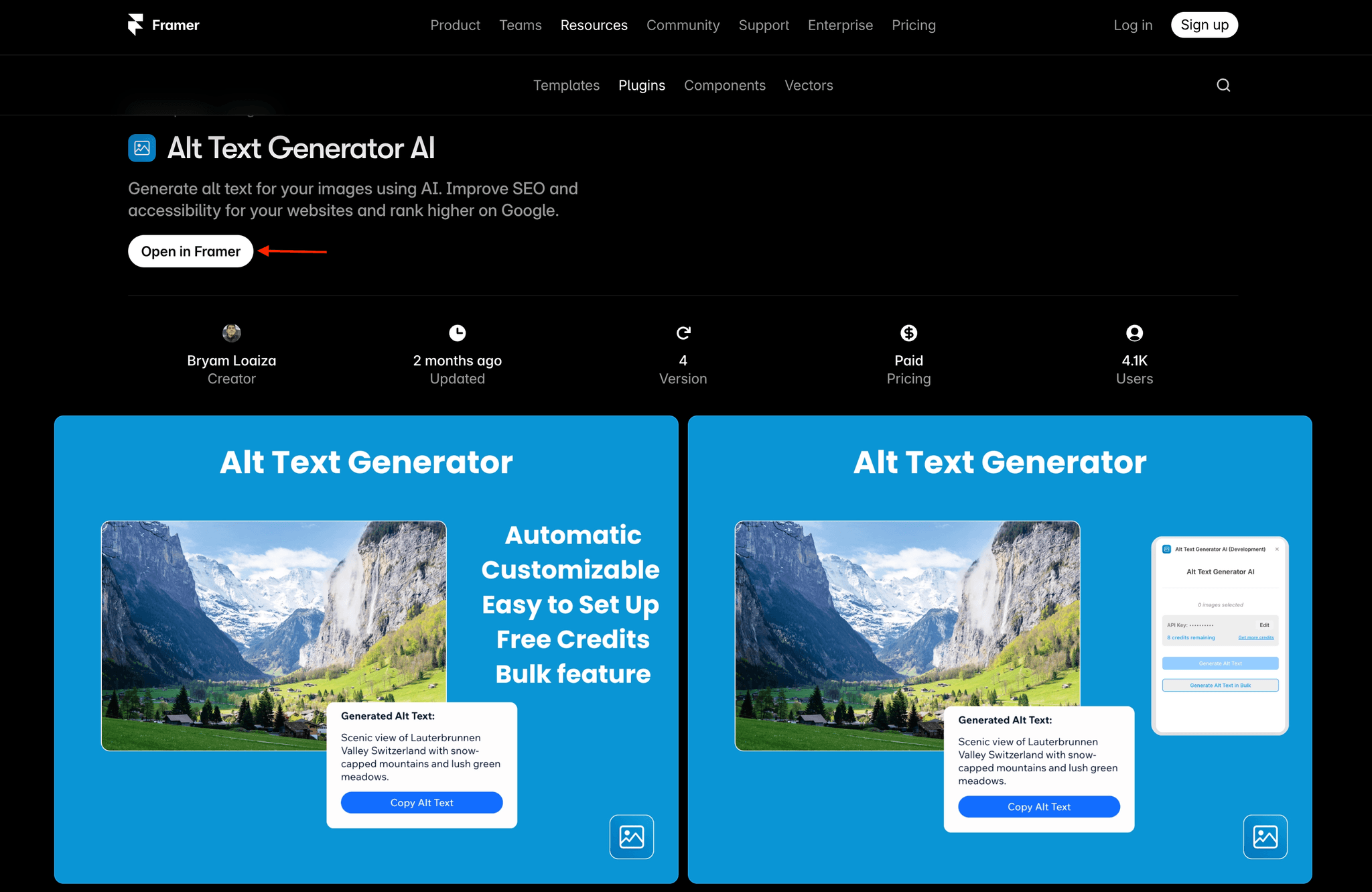
- Open Framer or go to the Framer Marketplace
- Search for "Alt Text Generator"
- Click on Alt Text Generator AI
- Click "Open in Framer" to install
Open the Plugin
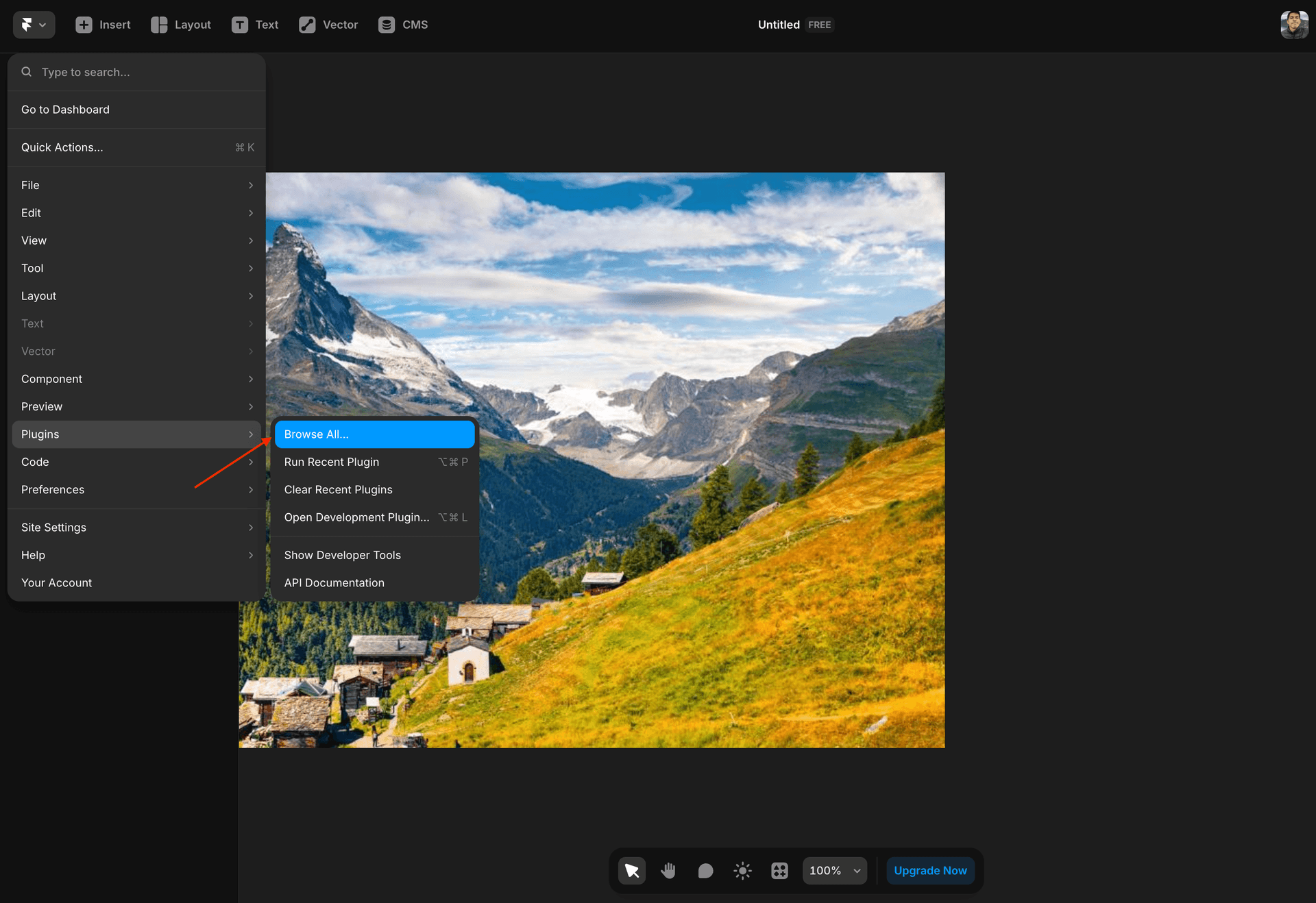
- Open your Framer project
- Click the Framer logo in the top left corner
- Click on Plugins
- Click Browse All
- Find and click Alt Text Generator AI
Configure Your API Key
- Create an account on AltTextGeneratorAI.com
- Go to your dashboard and copy your API key
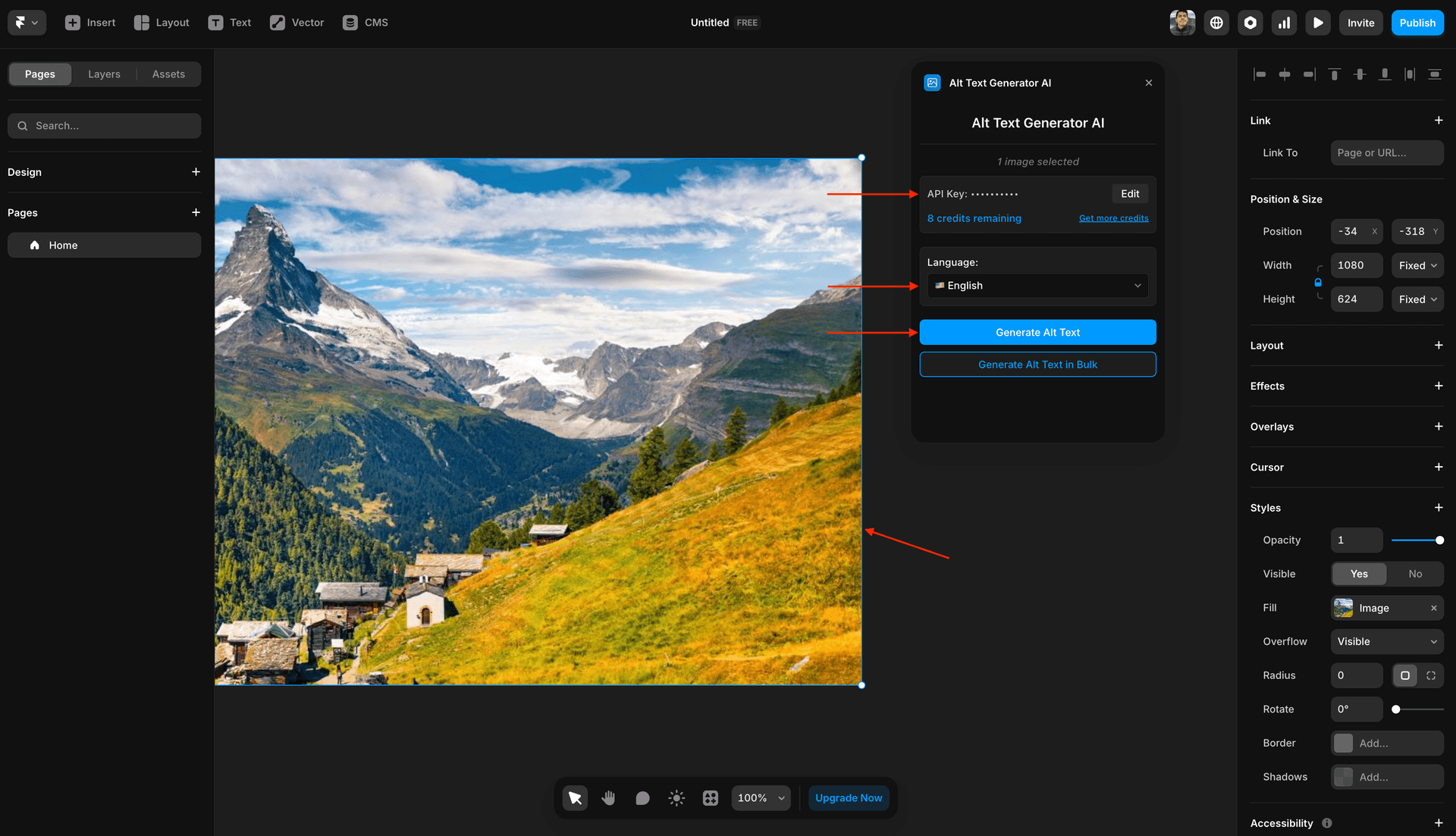
- Paste the API key in the plugin's API Key field
- Select your preferred Language
- Click Save to activate
⚠️Your API key is unique to your account. Keep it secure.
Generate Alt Text
- Select any image in your Framer project
- Click Generate Alt Text
- Done! Alt text is automatically inserted
💡Use Generate Alt Text in Bulk to process all images at once!
Plugin Features
Generate alt text for images using AI. Improve SEO and accessibility for your Framer websites and rank higher on Google.
Automatic
Alt text is automatically added to every image on the site using the bulk feature. No manual work required.
Bulk Generate
Automatically detects all images in your site editor and adds alt text to all of them at once.
AI-Powered
Use AI to automatically generate descriptive, accurate alt text for your images.
Free Credits
Get 2 free credits upon sign up to test the plugin with your Framer projects.
Extensive Image Support
Supports JPEG, JPG, PNG, GIF, and WEBP image formats. All the common types you use.
SEO Optimized
Alt text generated is highly optimized to rank higher on Google and improve your site's SEO.
Accessibility
Make your Framer sites accessible to screen reader users with descriptive alt text.
One-Time Payment
No monthly subscriptions. All plans are one-time payments and affordable for all users.
Easy to Use
Open the plugin, paste your API key, and start generating. It's that simple.
Why Use the Framer Plugin?
❌ Without the Plugin
- •Manually write alt text for every image
- •Switch between tools to generate descriptions
- •Easy to forget images when publishing
- •Inconsistent quality across descriptions
✅ With Alt Text Generator
- •One click generates alt text instantly
- •Work entirely within Framer—no switching
- •Bulk process ensures no image is missed
- •Consistent, professional descriptions
Framer Plugin FAQs
What is the Alt Text Generator Framer Plugin?
It's a Framer plugin that uses AI to generate descriptive alt text for your images. It helps improve SEO and accessibility for your websites so you can rank higher on Google.
How do I install the plugin?
Go to the Framer Marketplace, search for "Alt Text Generator AI", and click "Open in Framer". Then get your API key from AltTextGeneratorAI.com.
How does the bulk feature work?
The plugin automatically detects all images in your site editor and adds alt text to all of them at once. This saves you time and ensures no image is missed.
Do I get free credits?
Yes! You get 2 free credits when you sign up at AltTextGeneratorAI.com. This lets you test the plugin before choosing a plan.
What image formats are supported?
The plugin supports JPEG, JPG, PNG, GIF, and WEBP image formats—all the common image types you use on your Framer sites.
How do credits work?
1 credit = 1 alt text description. You get 2 free credits upon sign up. If you need more credits, you can purchase them from our pricing page.
Are there monthly subscription fees?
No! We don't like monthly plans, so all of our plans are one-time payment plans and affordable to all users.
Is the generated alt text good for SEO?
Yes! Alt text generated is highly optimized to rank higher on Google and improve your site's SEO and visibility in search results.
Does alt text help with accessibility?
Absolutely. Alt text allows screen readers to describe images to visually impaired users, making your Framer site more accessible to everyone.
How do I recharge credits?
If you need more credits, visit our pricing page to purchase additional credits. Plans start at $10 for 200 credits.
Other Integrations


Ready to Get Started?
Install the Framer plugin and start generating alt text for your designs. Get 2 free credits on sign up!