Alt Text Generator Sanity Plugin
Generate SEO-optimized alt text for images in Sanity Studio — one at a time, or in bulk across your dataset

Alt Text Generator AI is an AI-driven tool that automatically generates SEO-optimized alt text for your images. The Sanity Plugin brings that directly into Sanity Studio, with a one-click button on any image field plus a bulk dashboard for your whole dataset.
Enhance your site's SEO performance and accessibility directly from Sanity Studio, with automatically generated alt text for your images.
Find the Plugin
- Open the Alt Text Generator AI page on the Sanity plugin exchange
- Copy the install command, or view the package on npm
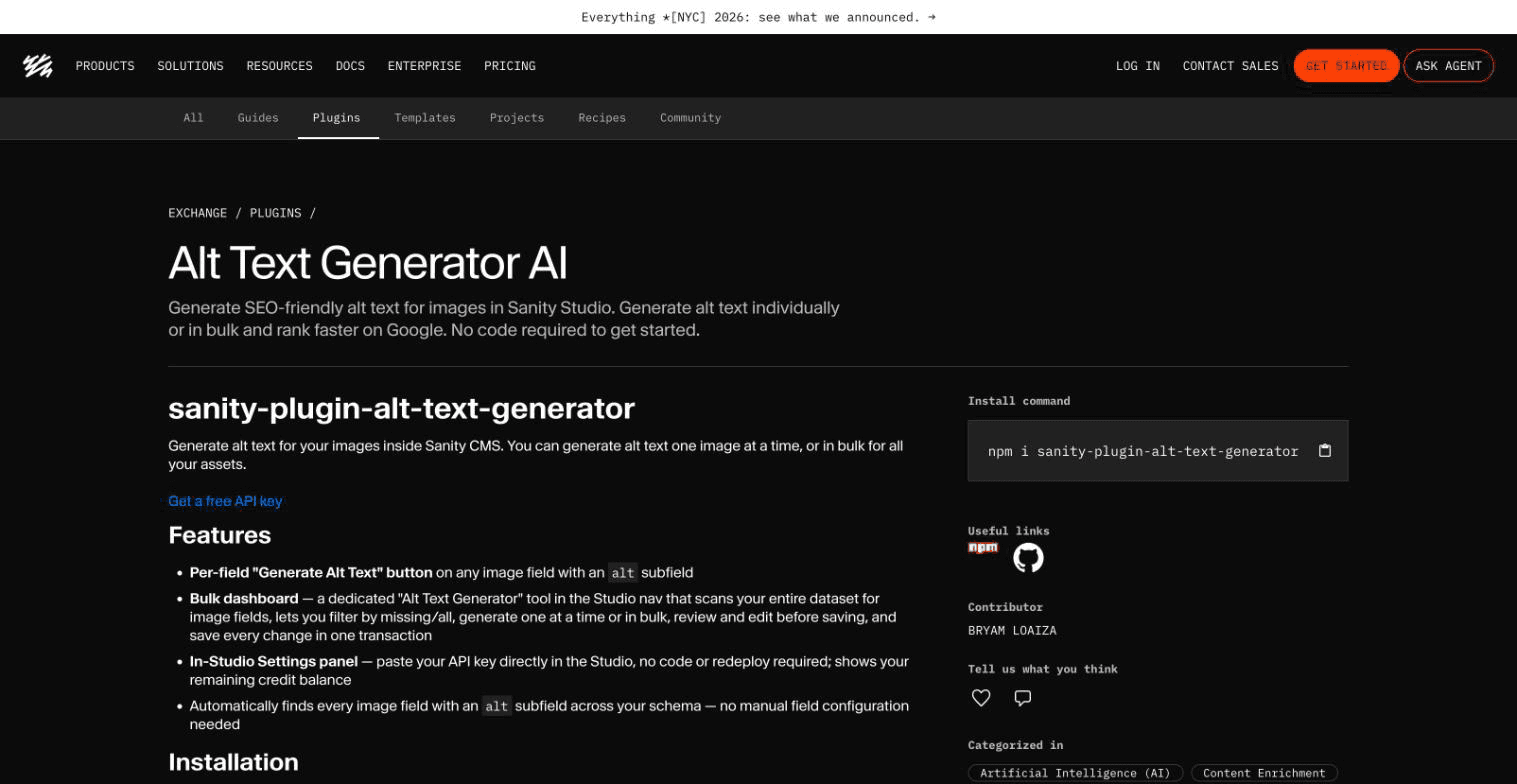
Install the Plugin
- Open a terminal in your Sanity Studio folder
- Run
npm install sanity-plugin-alt-text-generator - Open
sanity.config.tsand add the plugin as shown
💡Sanity Studio v6 needs Node.js 22.12 or newer. The plugin works with Studio v5 and v6, and with React 18 or 19.
import {defineConfig} from 'sanity'
import {altTextGenerator} from 'sanity-plugin-alt-text-generator'

export default defineConfig({
  // ...
  plugins: [altTextGenerator()],
})Add the Button to Your Image Field (Optional)
- Open the schema type that holds your image
- Add the
AltTextFieldinput to youraltfield - Any image with an
alttext field is already found by the bulk dashboard, so this only adds the one-click button
import {defineField, defineType} from 'sanity'
import {AltTextField} from 'sanity-plugin-alt-text-generator'

export const imageWithAlt = defineType({
  name: 'imageWithAlt',
  type: 'image',
  fields: [
    defineField({
      name: 'alt',
      title: 'Alternative Text',
      type: 'string',
      components: {input: AltTextField},
    }),
  ],
})Add Your API Key
- Create an account on AltTextGeneratorAI.com and copy your API key
- Start your Studio and open the Alt Text Generator tool in the top menu
- Paste the key and click Save. Your remaining credits show below it
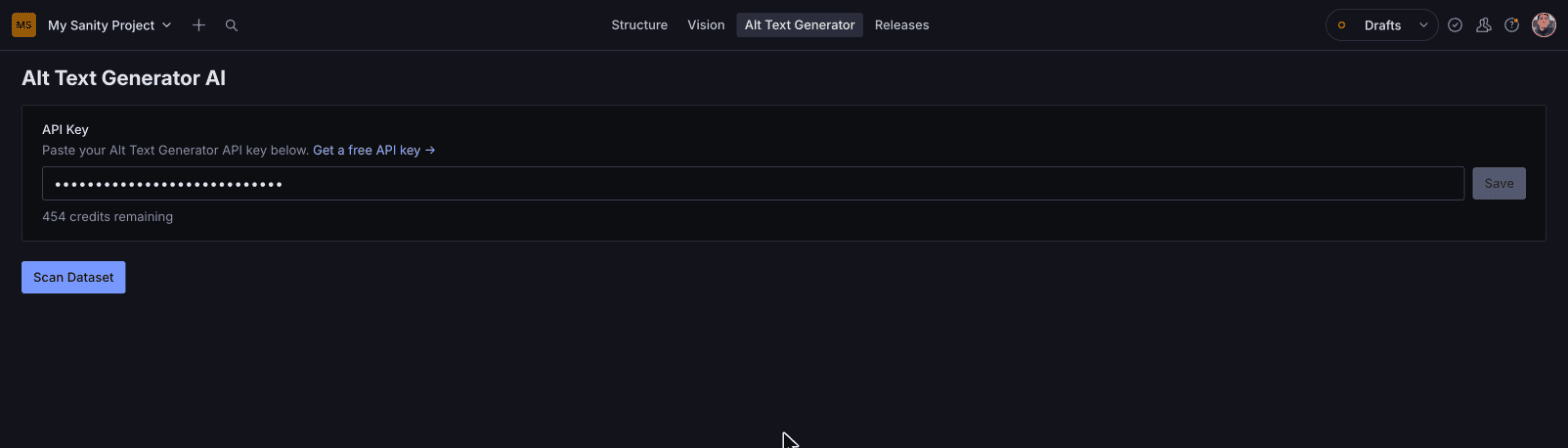
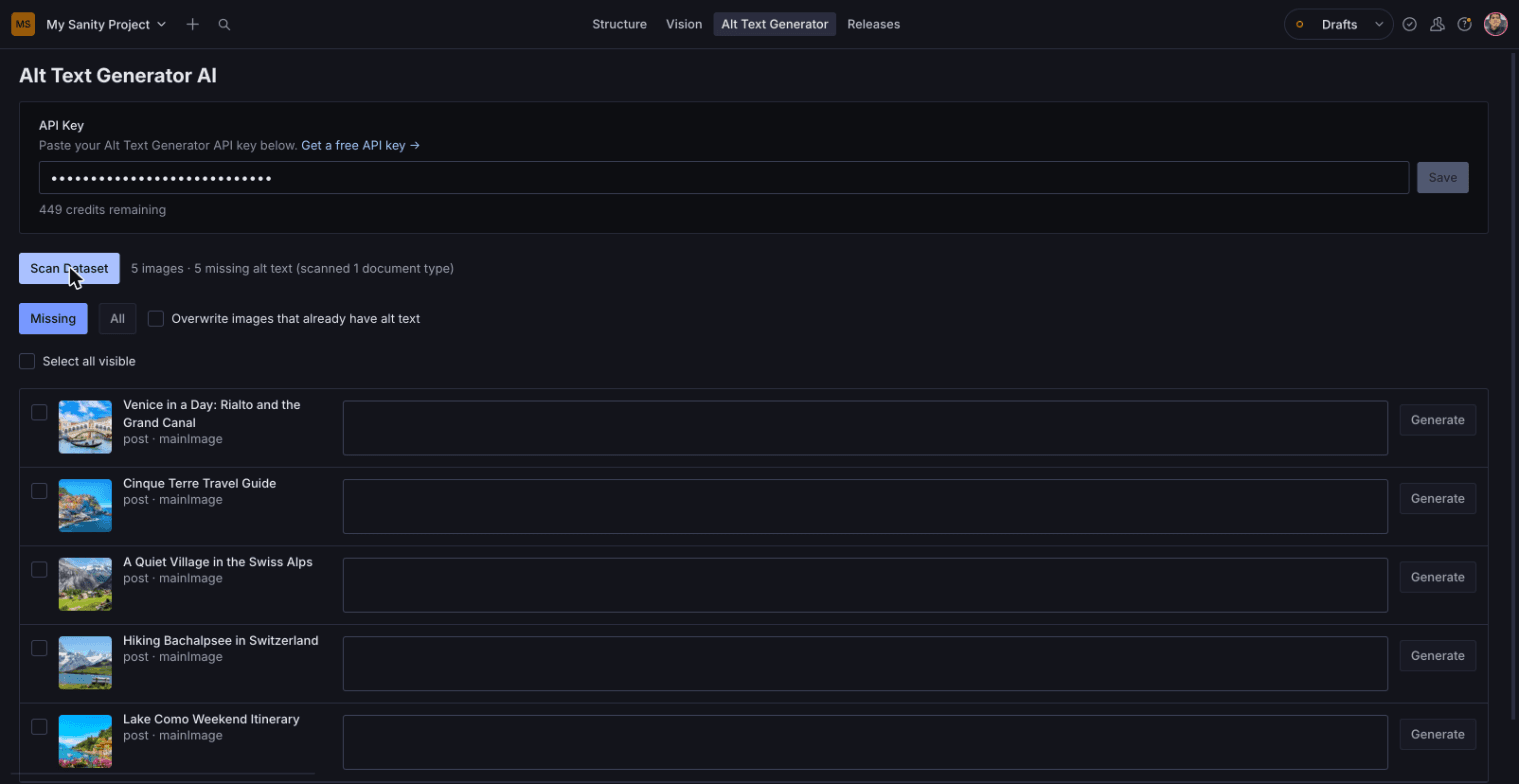
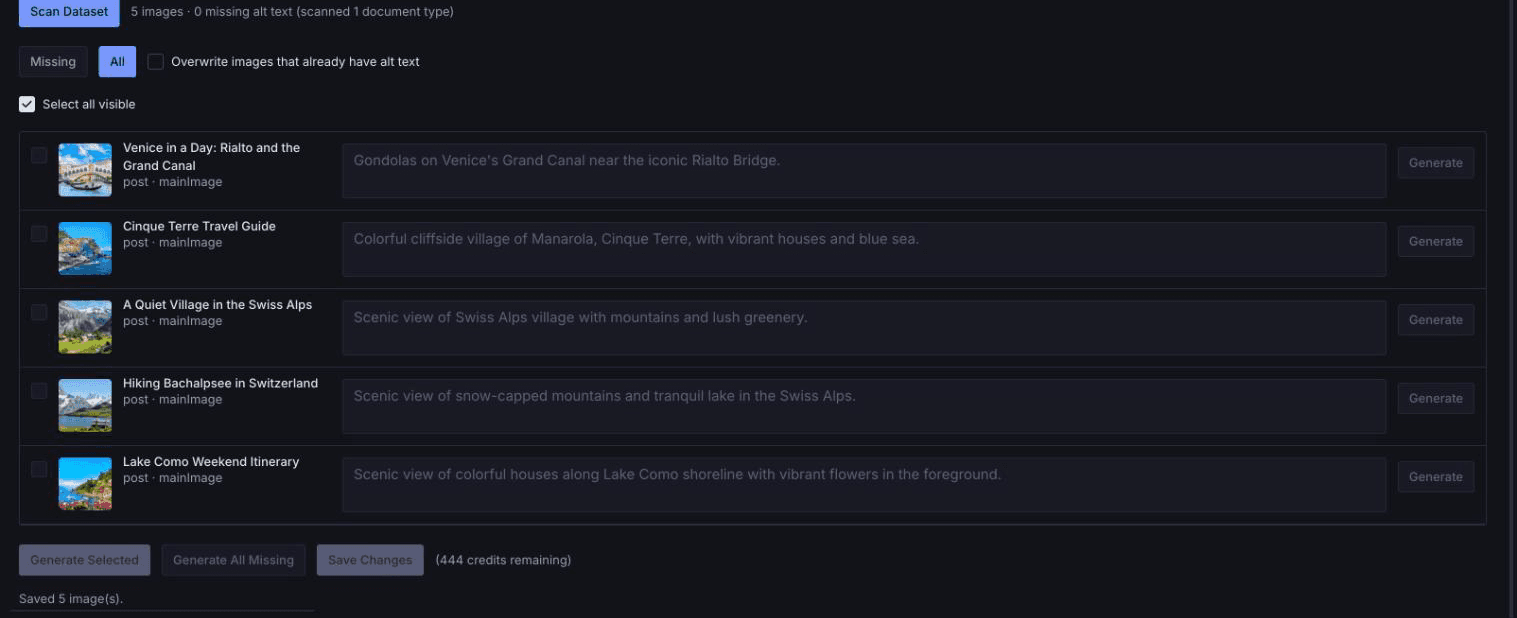
Scan Your Dataset
- Click Scan Dataset
- The tool finds every image that has an alt text field
- Use Missing to see only images without alt text, or All to see everything
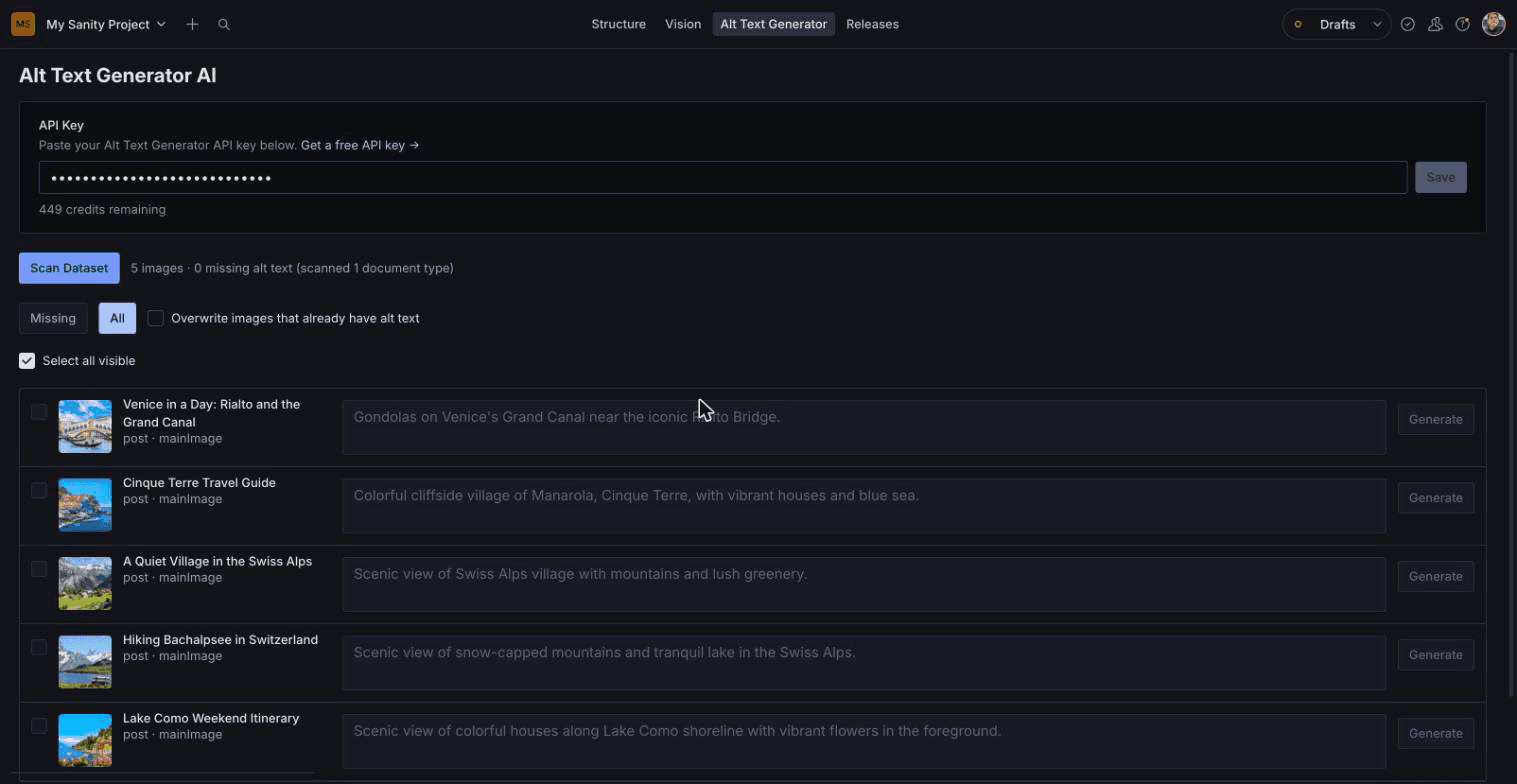
Generate Alt Text
- Click Generate next to one image, or Generate All Missing to do them all
- Each image uses 1 credit
- Edit any description you want to change before saving
Save Your Changes
- Click Save Changes
- All the alt text is saved to your documents in one go
- Publish the documents as usual to make the alt text live
💡Images that already have alt text are skipped unless you turn on Overwrite images that already have alt text.
Generate on a Single Image
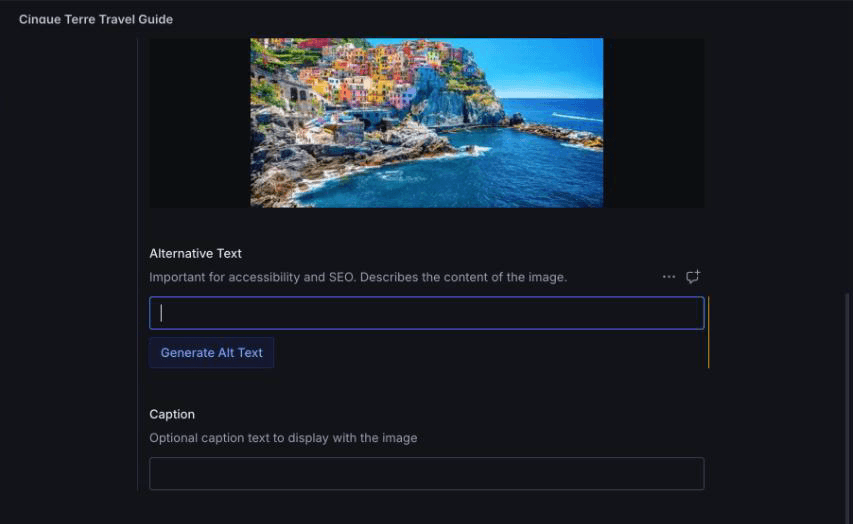
- Open a document with an image
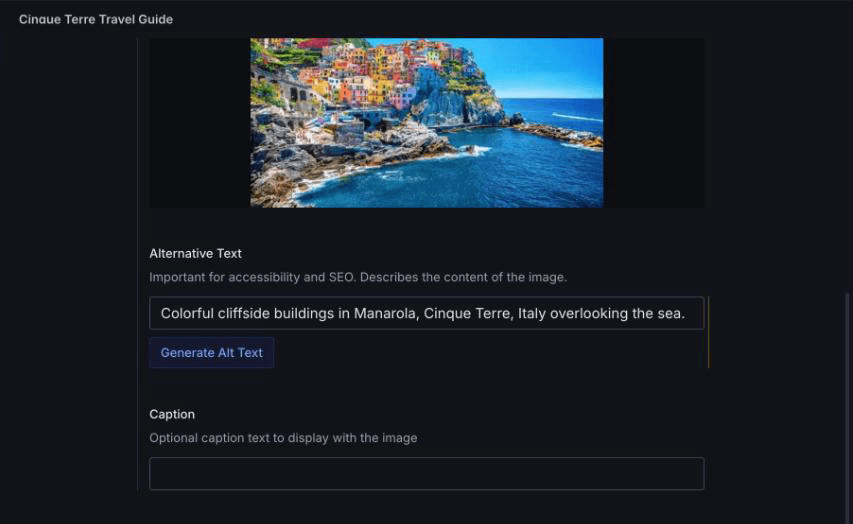
- Click Generate Alt Text under the Alternative Text field
- The description appears in the field. Edit it if you like, then publish
Write Alt Text Automatically on Upload (Optional)
- Open the Alt Text Generator tool and go to Settings
- Turn on Write alt text automatically when an image is uploaded. You can also set
altTextGenerator({autoGenerate: true})in your config - Upload an image in any document. The alt text appears in a few seconds, with no click
- Swap the image later and the alt text is rewritten for the new picture
💡A new upload only gets alt text when the field is empty. If you swap an image for a different one, new alt text is written for it. Opening existing documents never changes anything. Each image uses 1 credit.


Per-Field Generate Button
A one-click "Generate Alt Text" button sits right on any image field with an alt subfield — generate and review before saving.
Bulk Dashboard
A dedicated "Alt Text Generator" tool in the Studio nav scans your entire dataset, so you can filter by missing or all, generate in bulk, and save every change at once.
In-Studio Settings
Paste your API key directly into the plugin's Settings panel — no code or redeploy required — and see your remaining credit balance right there.
Automatic on Upload
Turn on one checkbox and new images get alt text the moment they are uploaded. Swap an image and the alt text is rewritten for the new one.
Free Credits
Sign up to get free credits and test alt text generation in your Studio.
Activate Your Plugin
Install with npm i sanity-plugin-alt-text-generator, add it to your sanity.config.ts, then open the "Alt Text Generator" tool in your Studio nav and paste your API key into its Settings panel.