How to Add Alt Text to Images in WordPress
Alt Text Generator WordPress Plugin - Complete Tutorial
5 min
Setup time
2
Free credits
32+
Languages
6
Image formats
WCAG
Compliant
Alt Text Generator AI WordPress Plugin makes it easy to automatically generate SEO-optimized alt text to images in WordPress. Add alt text to images in WordPress by following this step-by-step tutorial.
Installing the Plugin
- Log in to your WordPress dashboard
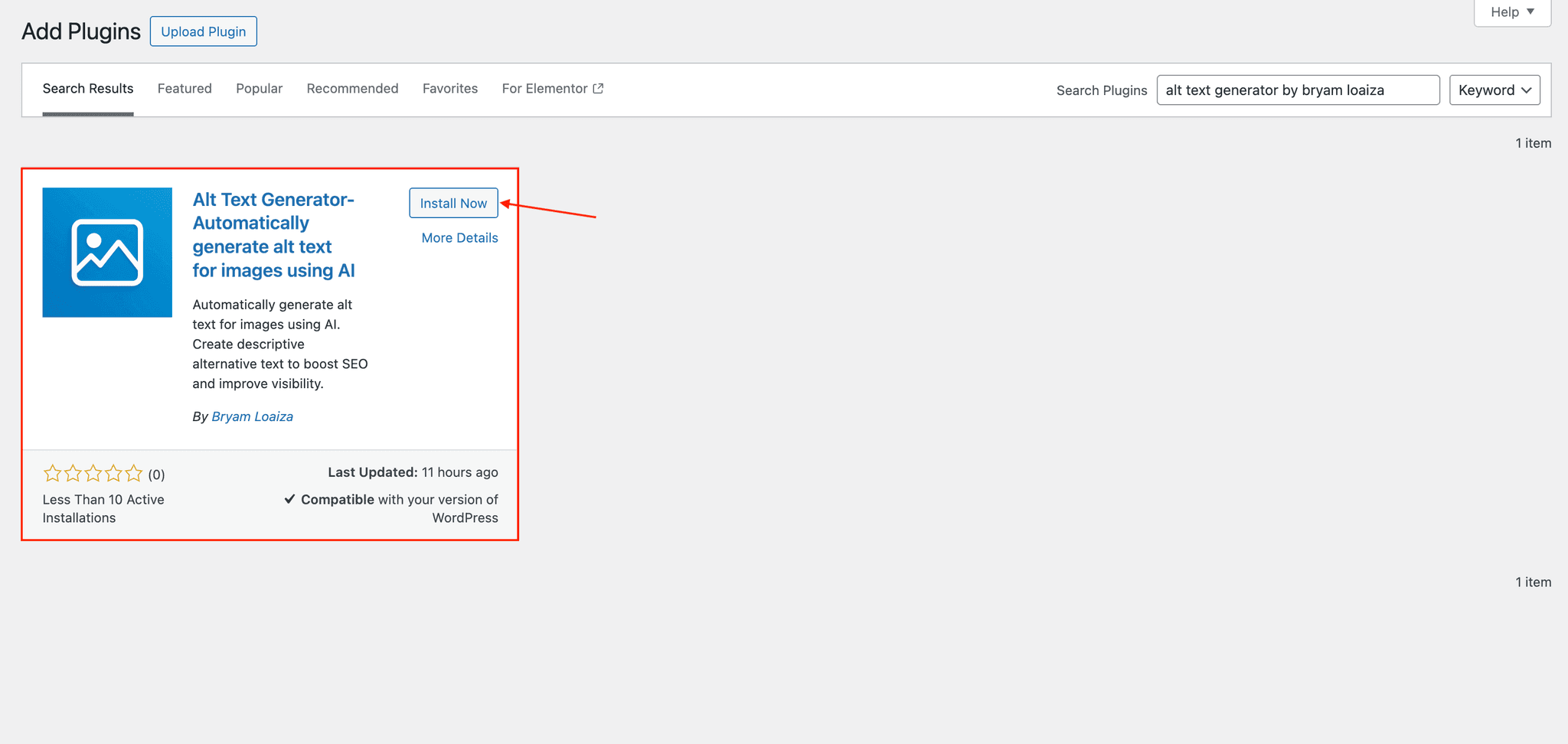
- Navigate to Plugins > Add New
- Search for "Alt Text Generator by Bryam Loaiza"
- Click "Install Now" on our plugin
- After installation completes, click "Activate"
Setting Up Your API Key
- Create an account on AltTextGeneratorAI.com
- Go to your dashboard and copy your unique API key
- Return to your WordPress dashboard
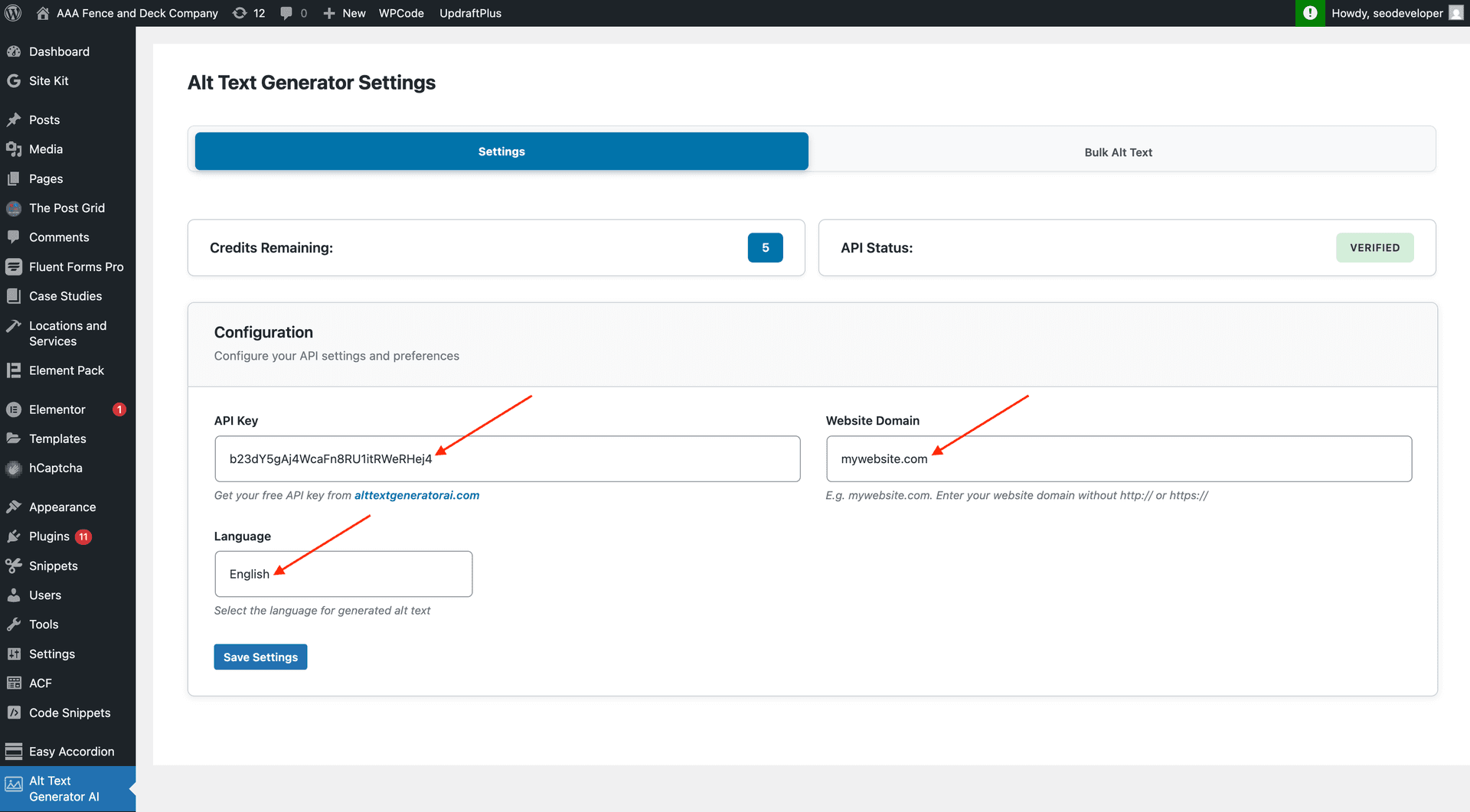
- Navigate to Sidebar > Alt Text Generator AI
- Paste your API key, set website and language in the designated fields
- Click Save Settings
⚠️Your API key is unique to your account.
Generate Alt Text (Manually)
- Navigate to Media > Library
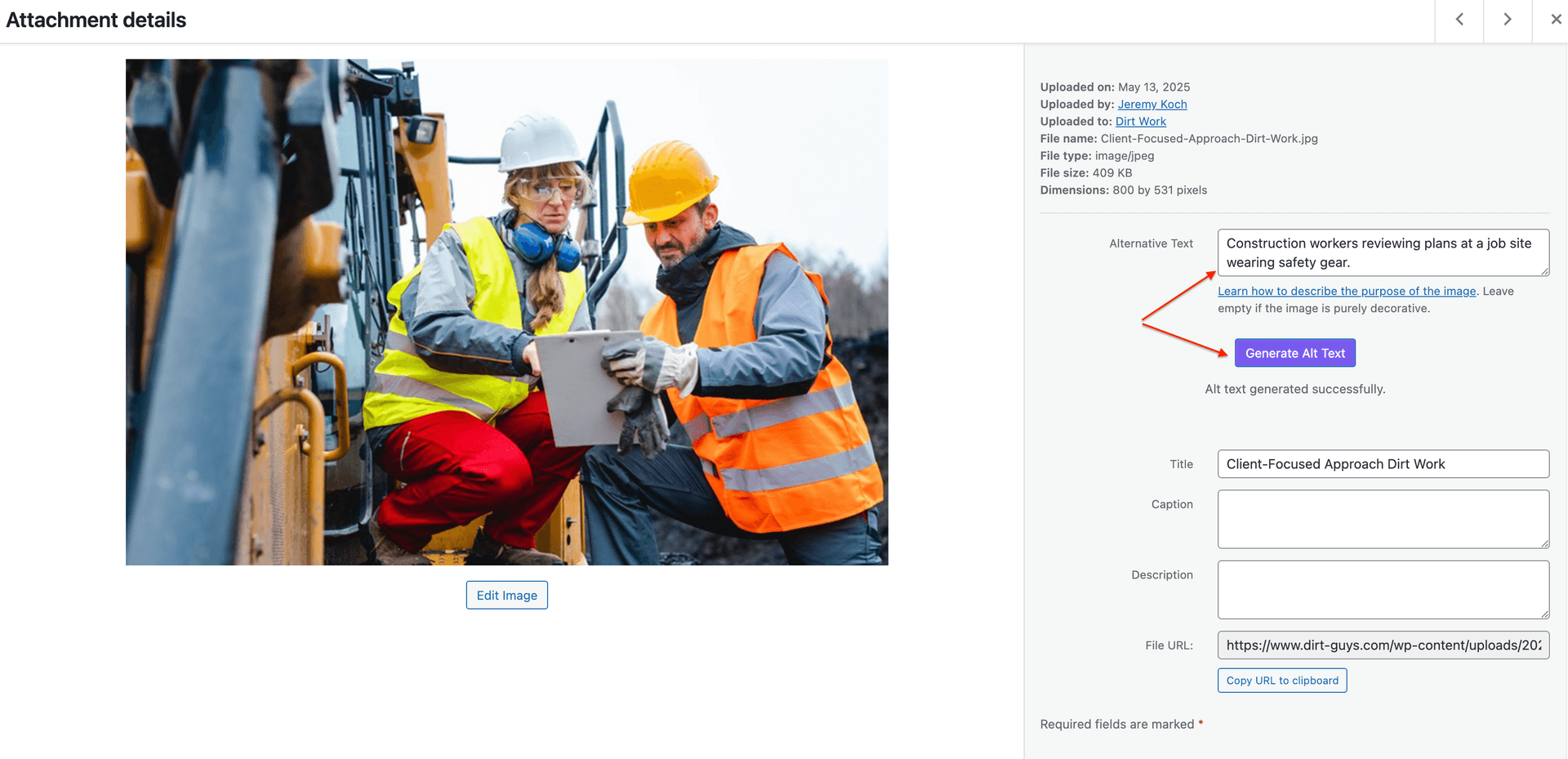
- Go to any of your images
- Click on the Generate Alt Text button
- Done! Alt text will be generated automatically.
Generate Alt Text (Automatic)
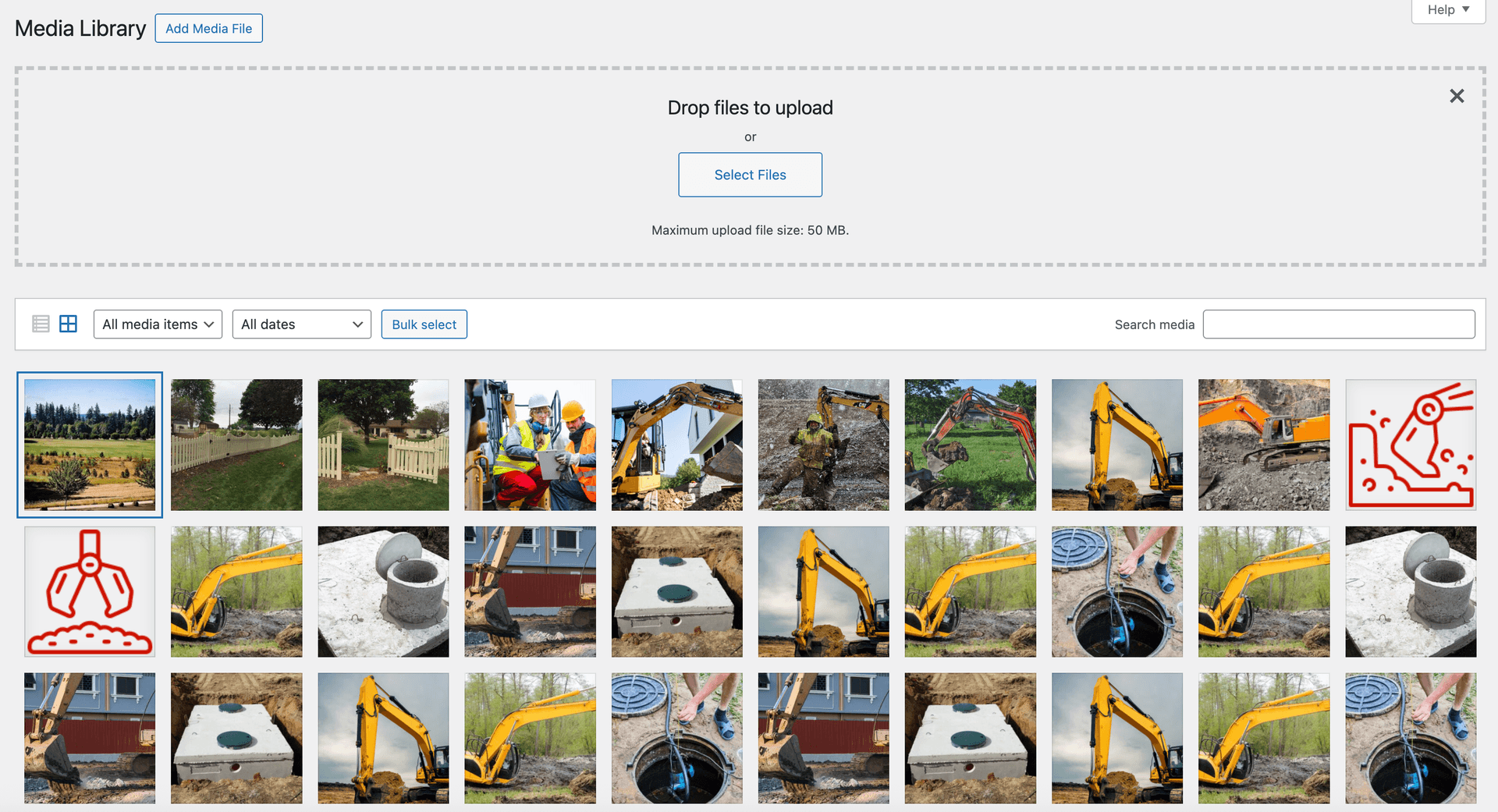
- Navigate to Media > Library > Add Media File
- Upload as many images as you would like
- Once images are uploaded, alt text will be generated automatically for them
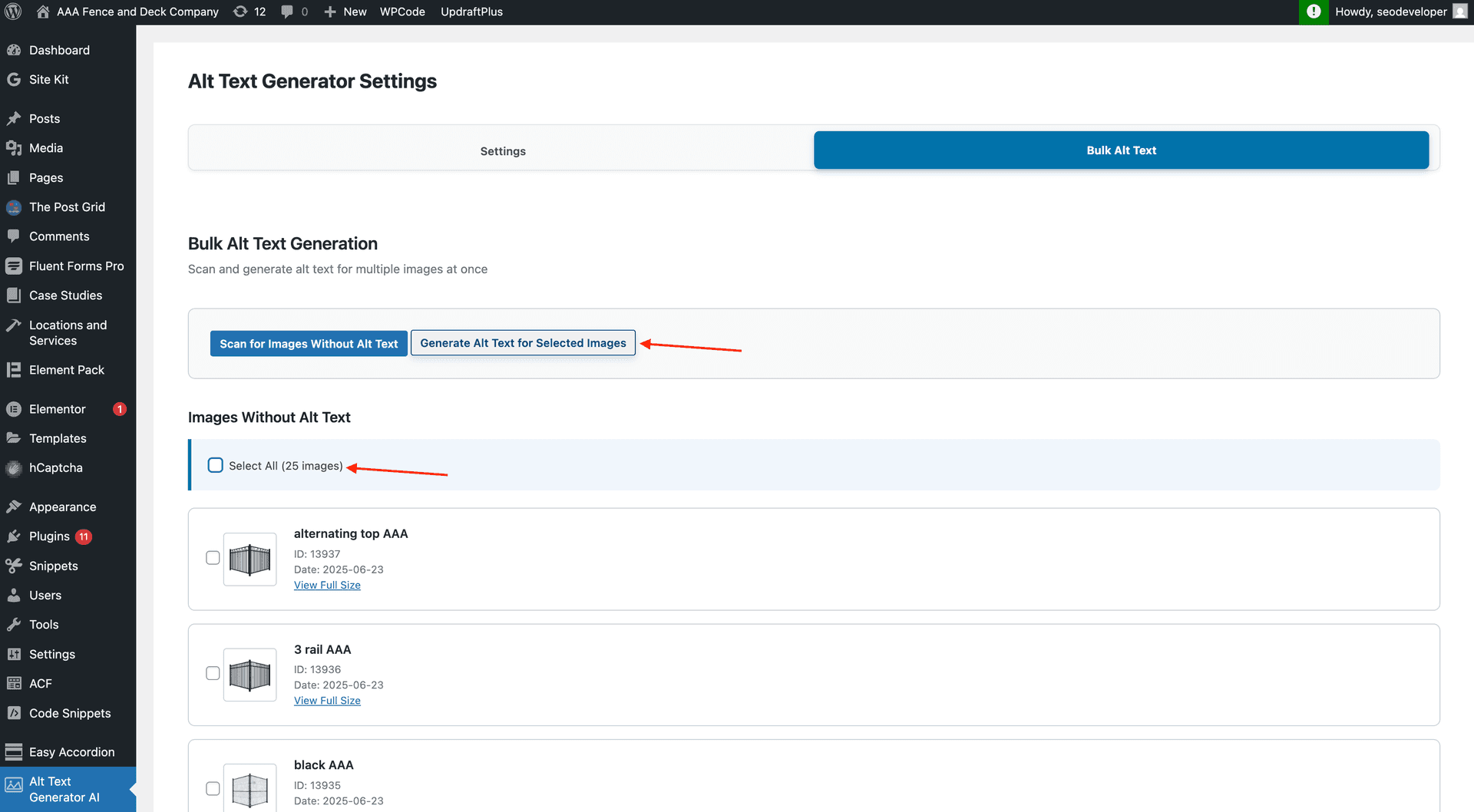
Generate Alt Text (Bulk Feature)
- Click on Bulk Alt Text
- Click on Scan for Images Without Alt Text
- You will see a list of images without alt text
- Select images you want to generate alt text for and click on Generate Alt Text for Selected Images
- Images will be processed and alt text will be generated automatically
- You can review the alt text generated by going to the Media Library
Plugin Features
Alt Text Generator for WordPress automatically generates descriptive alt text for images using AI to help you rank faster on Google. Increase visibility with SEO optimized alt text descriptions.
Automatic
Alt text is automatically added to every image uploaded on your site. No extra steps needed—upload and go.
Customizable
Manually update and edit the AI generated alt text. You can also click the Generate Alt Text button to regenerate for any image.
Easy to Set Up
Just choose a plan from our pricing page, get your API key, and start generating alt text. Setup takes about 5 minutes.
Free Credits
Get 2 free credits upon sign up to test the plugin with your images before committing to a plan.
Extensive Image Support
Supports JPEG, JPG, PNG, SVG, GIF, and WEBP image formats. All the image types you commonly use.
Extensive Language Support
Supports 32+ languages including English, Spanish, French, German, Chinese, Japanese, Arabic, and many more.
WooCommerce Integration
Built-in WooCommerce integration. Product images get alt text automatically, improving your store's SEO.
Bulk Processing
Scan your media library for images without alt text and generate descriptions for all of them at once.
Accessibility Compliant
Generated alt text meets WCAG accessibility standards. Make your site accessible to screen reader users.
Why Bother Writing Alt Text Manually?
❌ Writing Alt Text by Hand
- •500 blog posts with 3 images each = 1,500 descriptions to write
- •Quality drops when rushing through bulk updates
- •New posts often published without descriptions
- •Takes 30-60 seconds per image to write properly
✅ With Alt Text Generator AI
- •All 1,500 images handled automatically on upload
- •Consistent quality across every image
- •New content is always accessible from day one
- •Bulk process existing library in minutes
WordPress Alt Text FAQs
What is Alt Text Generator AI for WordPress?
Alt Text Generator AI is a WordPress alt text generator plugin that automatically creates descriptive alt text for images using AI. It helps improve SEO, accessibility, and Google Image Search visibility.
How do I install the Alt Text Generator plugin?
Go to Plugins → Add New in your WordPress dashboard, search for "Alt Text Generator by Bryam Loaiza", click Install, then Activate. Get your free API key at our dashboard and paste it in the plugin settings.
Is alt text generated automatically when I upload images?
Yes. Automatic alt text is added when you upload images to WordPress. You can also click "Generate Alt Text" for any image in the media library.
Can I edit the generated alt text?
Yes. You can manually update and edit AI-generated alt text anytime in the WordPress media library.
Do I get free credits to try it?
Yes. New accounts get 2 free credits to test the WordPress plugin before choosing a paid plan.
What image formats are supported?
The plugin supports JPEG, JPG, PNG, SVG, GIF, and WEBP image formats.
What languages are supported?
The plugin supports 32+ languages including English, Spanish, French, German, Chinese, Japanese, Arabic, and many more.
Does it work with WooCommerce?
Yes. The plugin includes WooCommerce integration so product images can get alt text automatically.
Can I generate alt text for existing images in bulk?
Yes. Use Bulk Alt Text to scan your media library for images missing alt text and generate descriptions for selected images at once.
Is the generated alt text good for SEO?
Yes. The AI writes descriptive alt text that helps search engines understand image content and can improve visibility in Google Image Search.
Does it work with page builders like Elementor and Divi?
Yes. Because the plugin works at the media library level, it is compatible with Gutenberg, Classic Editor, Elementor, Divi, WPBakery, and other themes or builders.
Other Integrations


Ready to Get Started?
Start generating alt text for your WordPress images today. Get 2 free credits on sign up!