How to Add Alt Text to Images in Wix
Alt Text Generator Wix App - Complete Tutorial

Alt Text Generator AI makes it easy to automatically generate SEO-optimized alt text for images in Wix. This step-by-step tutorial will show you how to install, set up, and use our app to improve your site's accessibility and SEO performance.
1
Installing the App
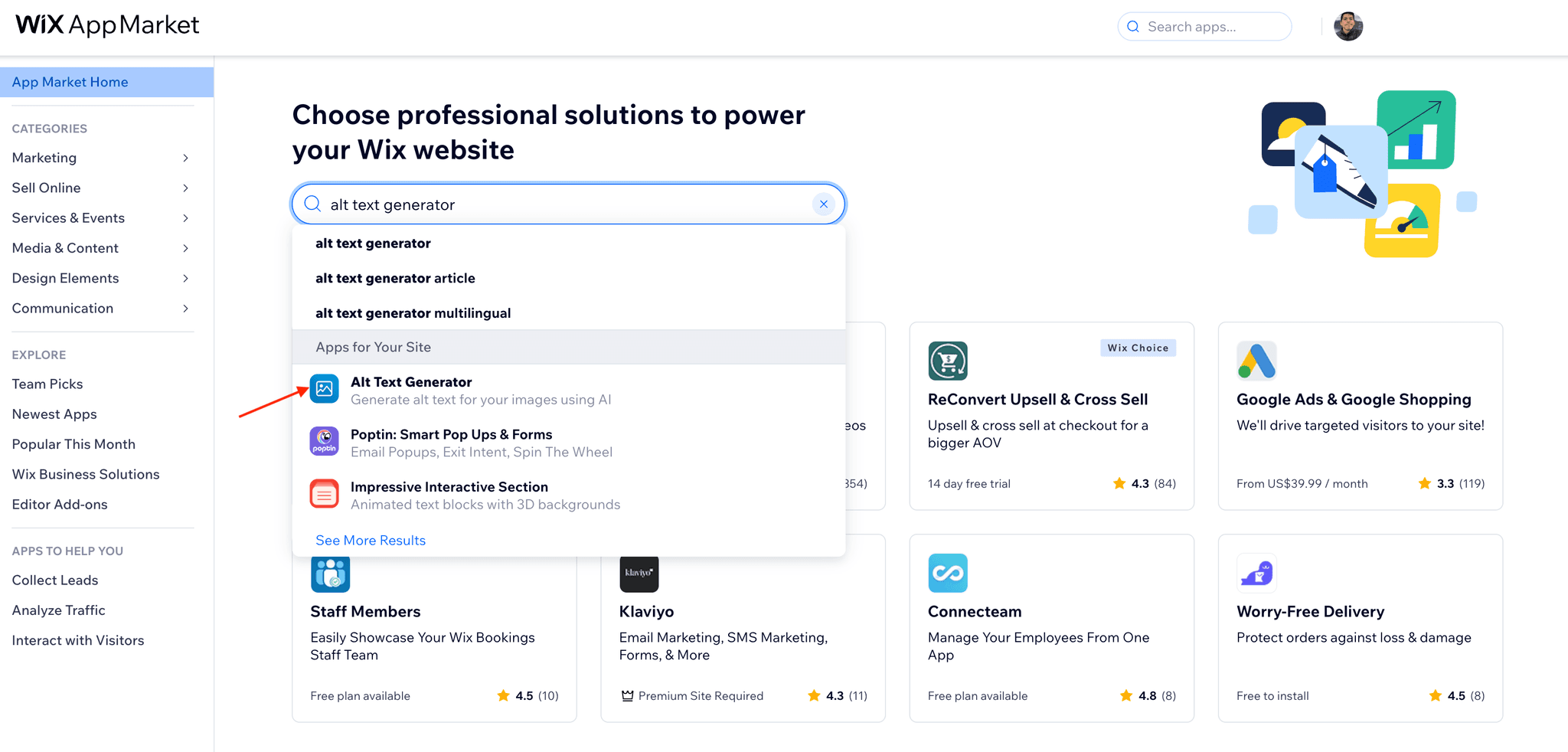
- Go to the Wix App Market
- Search for "Alt Text Generator"
- Click on the Alt Text Generator app
2
Adding the App to your Site
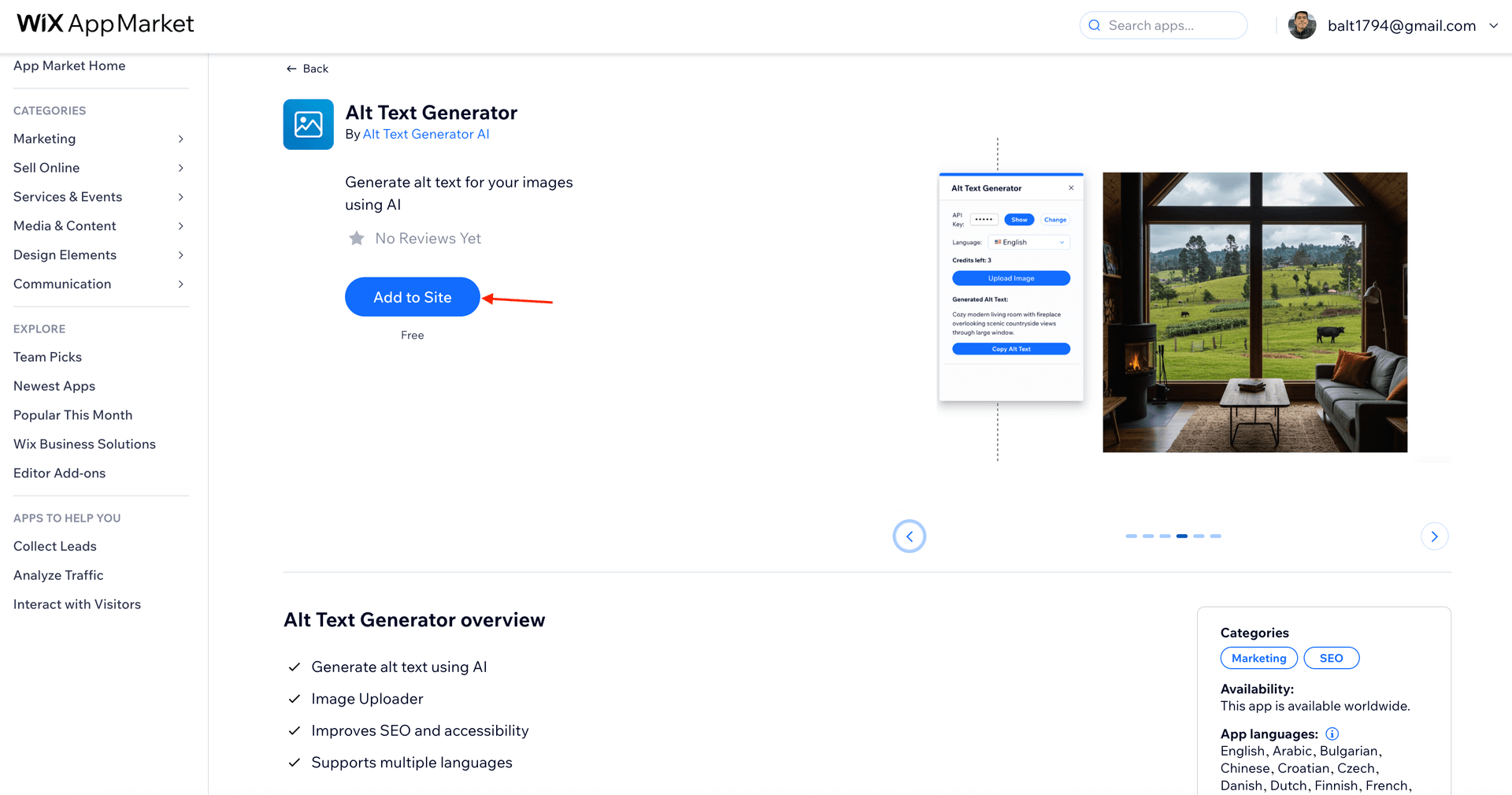
- In the Alt Text Generator app page, click on Add to Site
- Select the site where you want to add the app
- Click on Open App
- You will be redirected to your Wix site editor
3
Open App in your Wix Site Editor
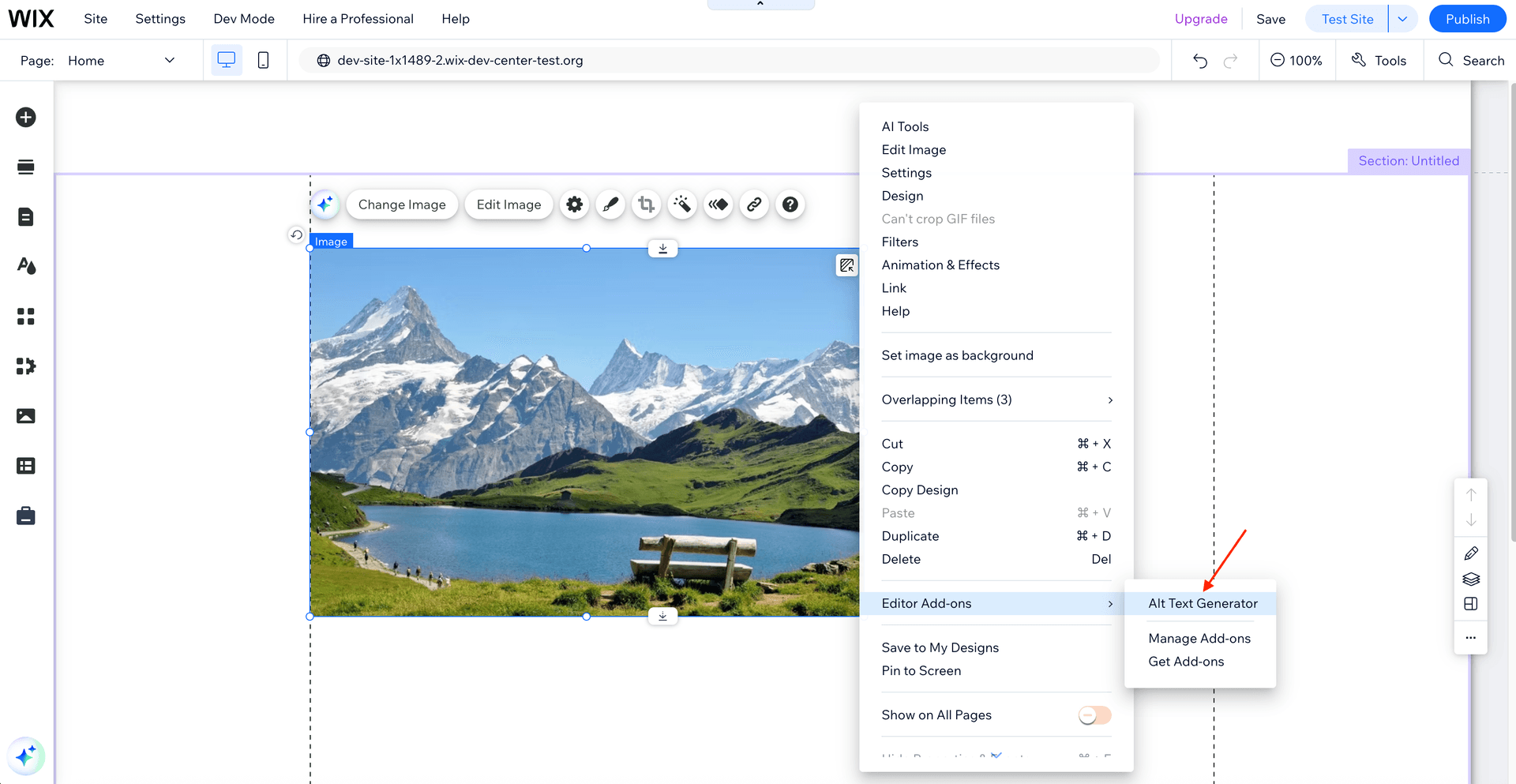
- Right-click on the canvas and go to Editor Add-ons > Alt Text Generator
- You will see the Alt Text Generator app appear in the Wix site editor
4
Setting Up Your API Key
- Go to your dashboard to get a free API key
- Return to your Wix site editor
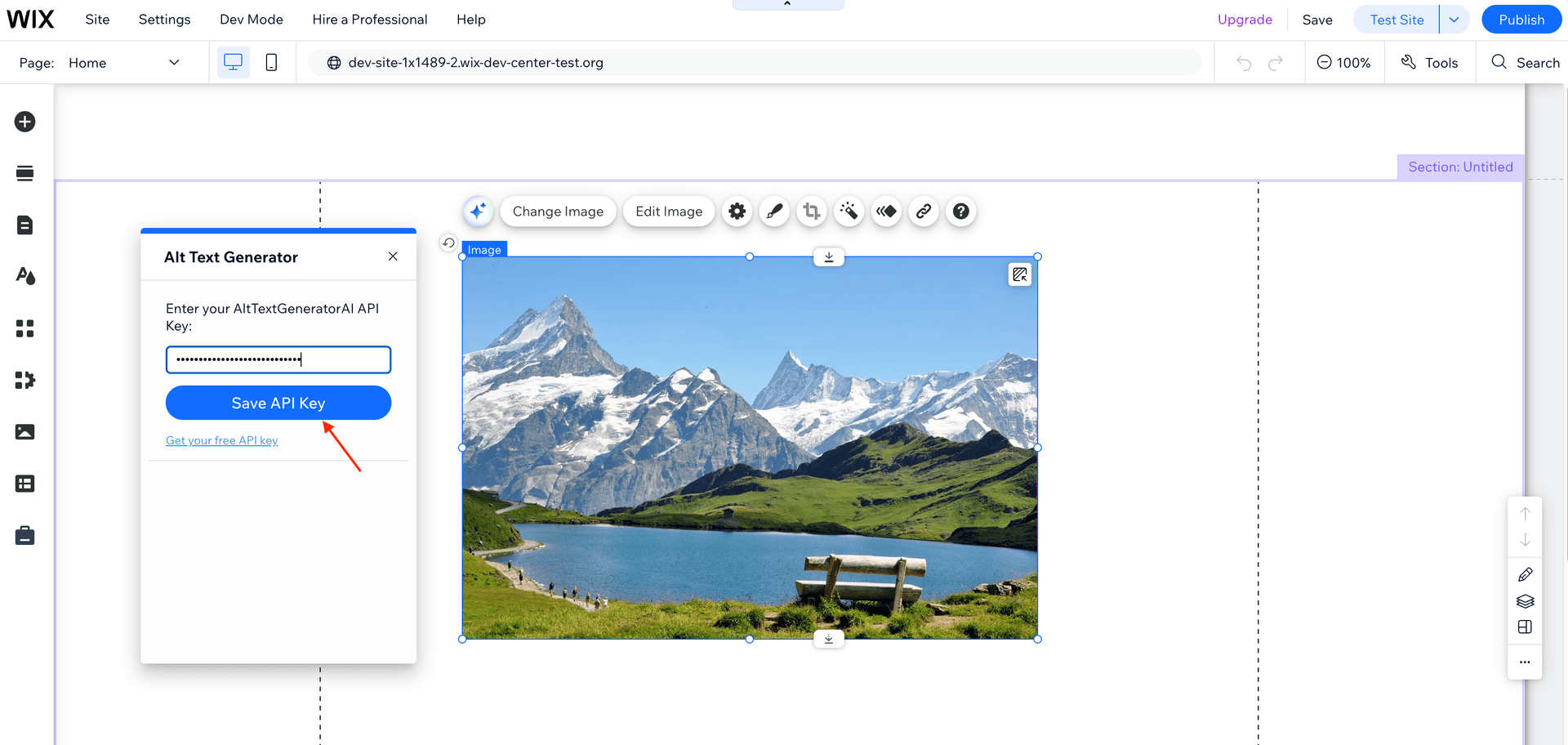
- Paste your API key in the designated field
- Click Save API Key to activate the app
5
Generate Alt Text
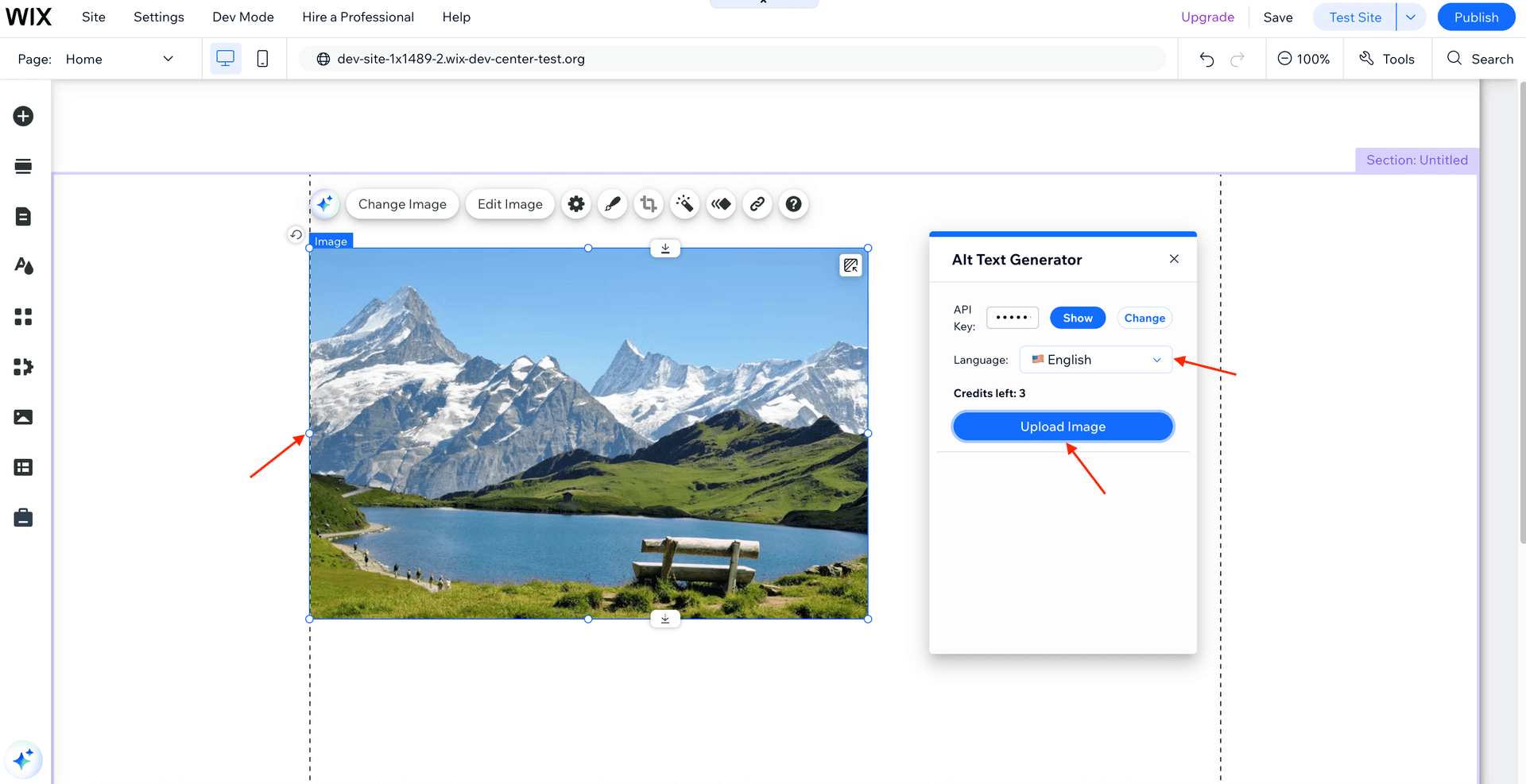
- Select the language for the alt text from the dropdown menu
- Select any image in your Wix Editor
- Click on the Upload Image button
- Done! The new image will be uploaded and the alt text generated
💡Wix doesn't allow to edit the image alt text field programmatically, so you will need to copy and paste the alt text manually.
6
Add Alt Text to Image
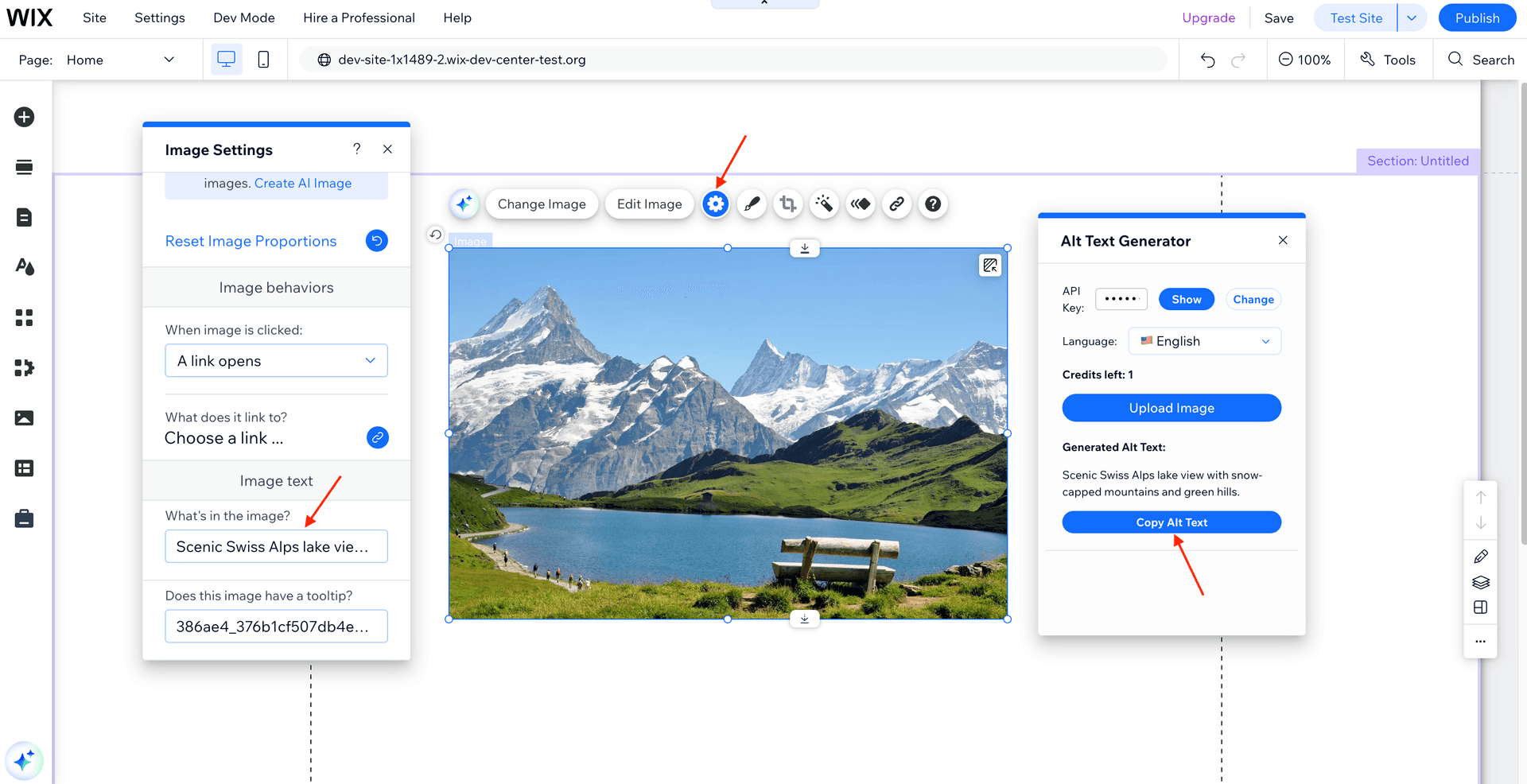
- Copy alt text from the Alt Text Generator app
- Select the uploaded image and click on the settings (gear icon)
- Paste the alt text in the alt text field (What's in the image)
- Done!
💡Wix doesn't allow to edit the image alt text field programmatically, so you will need to copy and paste the alt text manually.
Other Integrations


🎮
Need Further Assistance?
Our support team is ready to help with any questions or issues you might encounter.