Alt Text Generator Strapi Plugin
Generate SEO-optimized alt text for the images in your Strapi Media Library, in bulk or automatically on upload

Alt Text Generator AI writes SEO-friendly alt text for your images with AI. The Strapi plugin adds a page to your Strapi admin that scans your Media Library, writes alt text for the images that are missing it and saves it in Strapi's own Alternative text field. It can also write it for every new upload. This step-by-step guide shows how to install and use it.
Better alt text helps your site's accessibility and image SEO, and saves hours of writing descriptions by hand. It works on the free Community edition of Strapi 5, with no license needed.
Install the Plugin
- In your Strapi project, run
npm install @balt1794/strapi-plugin-alt-text-generator - Get your API key from the dashboard
- Add it to the
.envfile of your Strapi project asALT_TEXT_GENERATOR_API_KEY - Restart Strapi. The plugin turns itself on, so there is nothing to add to your config
💡Needs Strapi 5. Your API key stays on your server and never reaches the browser.
npm install @balt1794/strapi-plugin-alt-text-generator

# .env
ALT_TEXT_GENERATOR_API_KEY=your-key-hereAdd the Key in Production
- A
.envfile is for local work. On your live server, setALT_TEXT_GENERATOR_API_KEYas an environment variable - Strapi Cloud: Settings, then Variables
- Railway, Render, Fly.io, Heroku: the environment variables page of your service
- Redeploy or restart, then open the plugin page to check
💡Never commit the key to Git. Without a key, the plugin page shows an Add your API key notice.
// config/plugins.ts (optional)
export default ({ env }) => ({
  'alt-text-generator': {
    enabled: true,
    config: {
      apiKey: env('ALT_TEXT_GENERATOR_API_KEY'),
      autoGenerate: true, // optional
      language: 'english', // optional
    },
  },
});Find the Plugin in the Admin
- Open your Strapi admin and sign in
- A new Alt Text Generator AI link with an image icon appears in the left menu
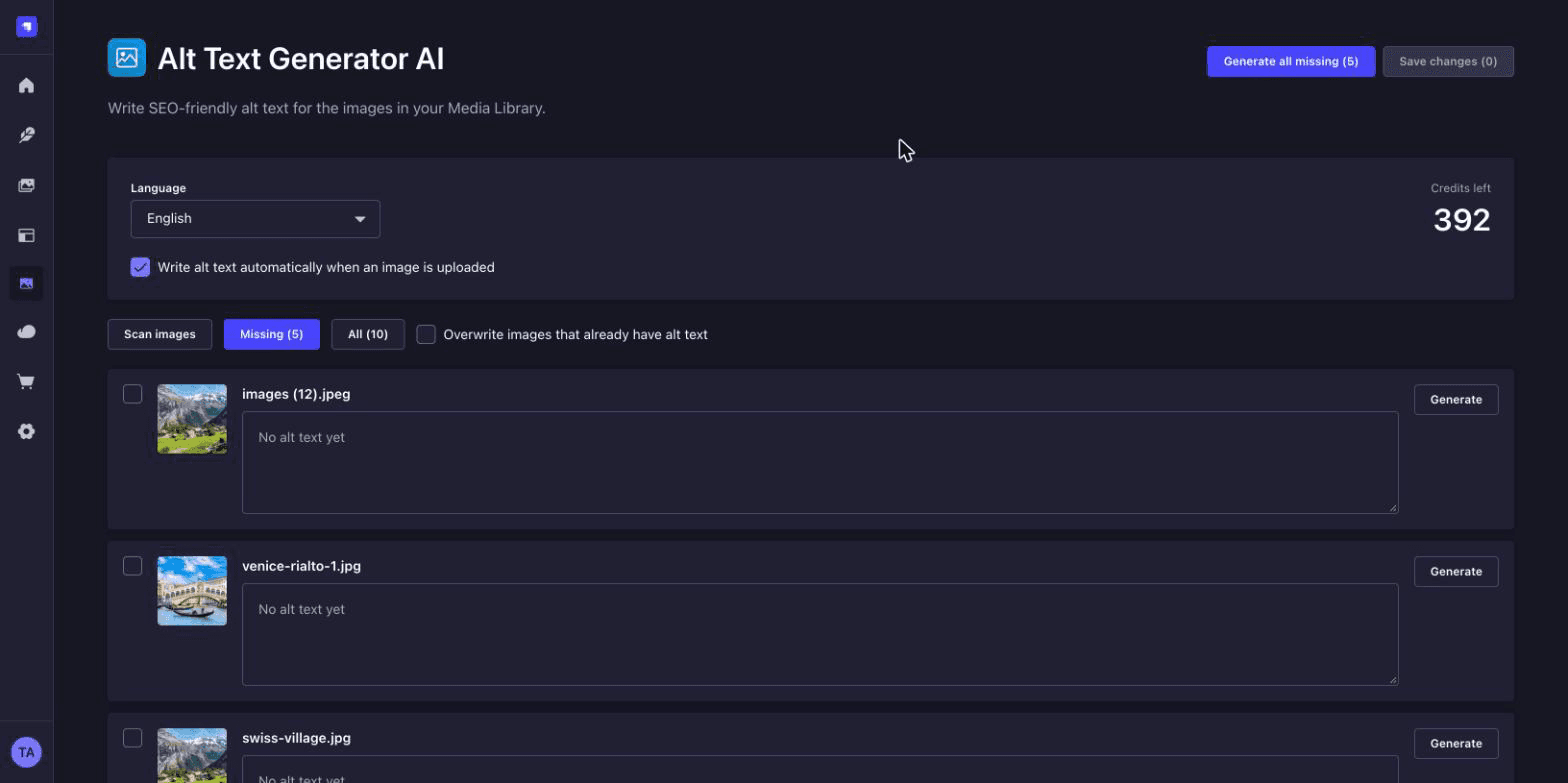
- Open it. The page shows your language, your credits and every image in the Media Library
Generate Alt Text for Many Images
- Missing lists the images with no alt text. All shows everything. Tick the ones you want, or leave them all unticked
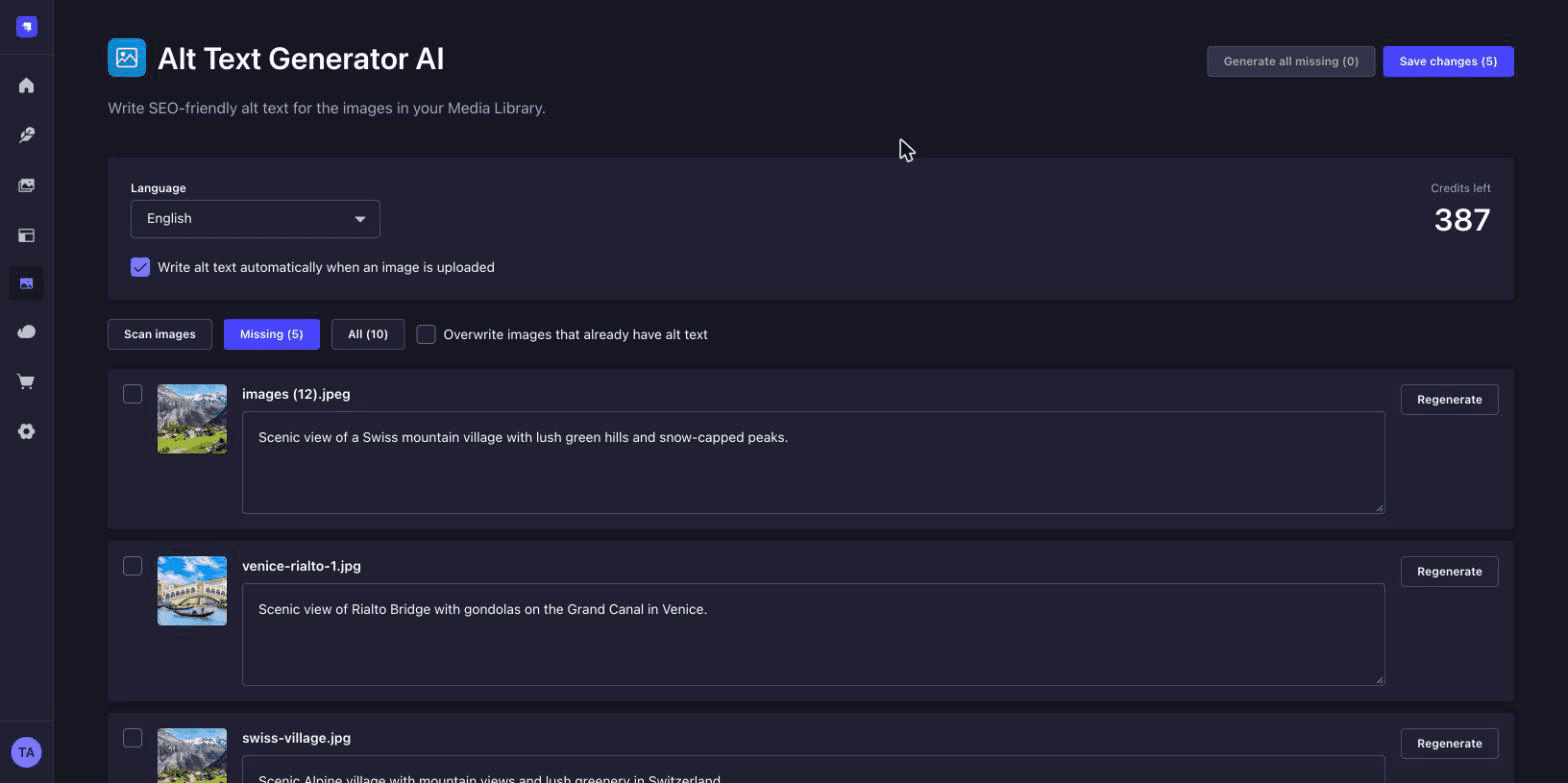
- Click Generate selected or Generate all missing. Each image uses 1 credit
- Read the results and edit any text you want to change. You can also click Generate or Regenerate on a single image
- Click Save changes to write them all to the Media Library
💡Generate all missing skips images that already have alt text. Tick an image to generate it anyway, or tick Overwrite.
Write Alt Text on Upload
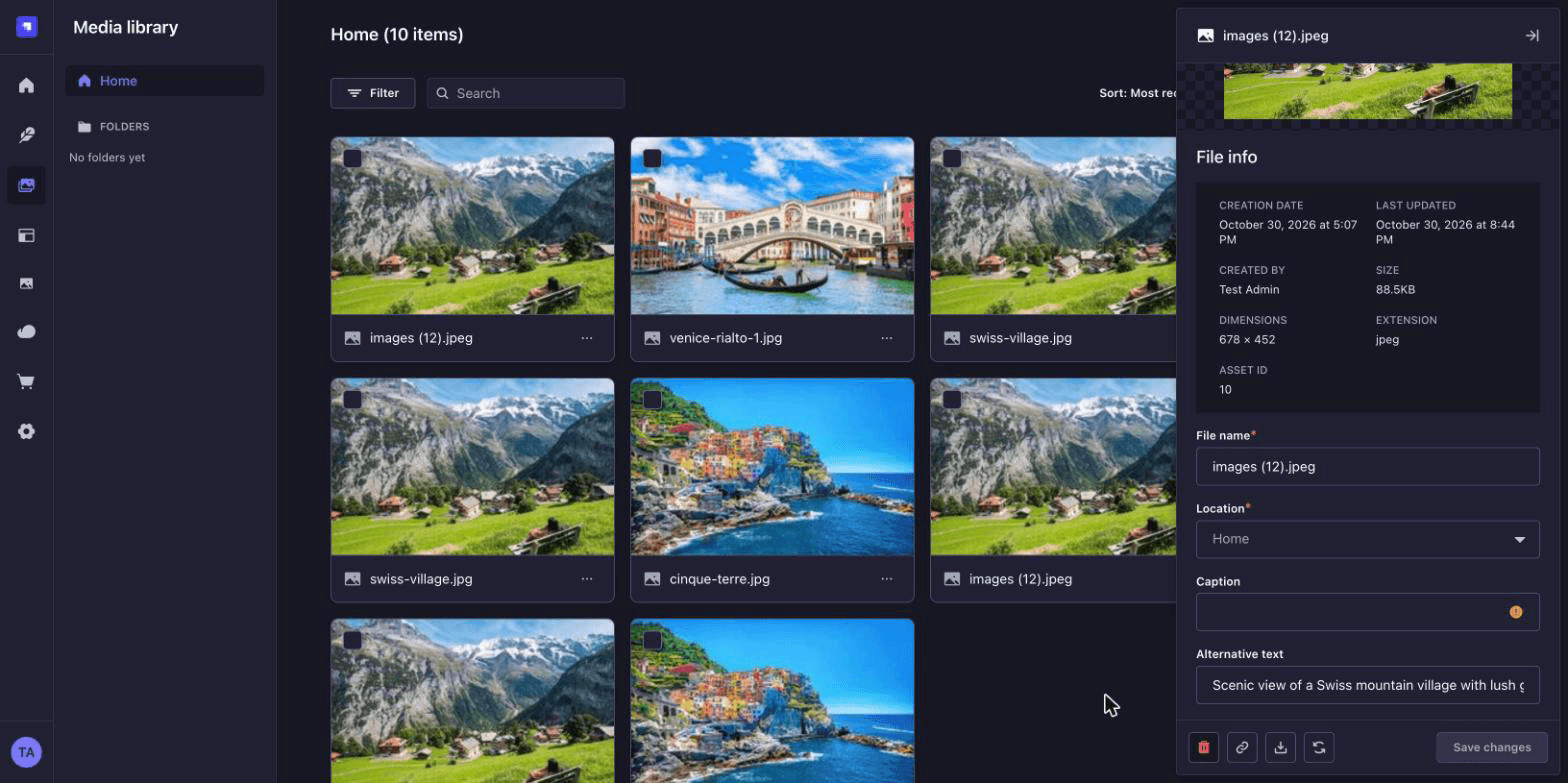
- On the plugin page, tick Write alt text automatically when an image is uploaded, or set
autoGenerate: true - New uploads get alt text as soon as they are saved. Replacing an image's file writes new alt text for the new picture
- Open any image in the Media Library. The text is in Strapi's Alternative text field, ready to use as the
altof your images
💡Images that already have alt text are never overwritten on upload.
Choose the Language
- Pick the language of the alt text from the Language list on the plugin page, from English to Zulu
- The choice is saved, so it also applies to automatic uploads
- Your credits are shown on the same page. Each generation uses one credit
GET /api/upload/files/10

{
  "name": "swiss-village.jpg",
  "alternativeText": "Scenic Alpine village with mountain views..."
}Bulk Page
A menu page scans your Media Library, shows thumbnails and lists the images missing alt text. Tick the ones you want and save them all at once.
Automatic on Upload
Turn on one checkbox and new uploads get alt text when they are saved. Replace an image and the alt text is rewritten for the new one.
Works on Community
No Strapi license or AI plan needed. The text goes into Strapi's own Alternative text field.
131 Languages
Choose the language of the alt text, and write it for your international audience.
Your Key Stays on Your Server
The API key is only used by the plugin's server code. The browser never sees it.
Free Credits
Sign up to get free credits and test alt text generation on your own images.