Alt Text Generator OpenCart Extension
Generate SEO-optimized alt text for the images in your OpenCart shop, in bulk and in 131 languages

Alt Text Generator AI writes SEO-friendly alt text for your images with AI. The OpenCart extension adds a page to your admin that scans the images used by your products, categories and brands, writes alt text for the ones that are missing it and puts it into the images of your storefront. OpenCart has no alt field for images, so the extension keeps its own list and needs no theme changes. This step-by-step guide shows how to install and use it.
Better alt text helps your site's accessibility and image SEO, and saves hours of writing descriptions by hand. It works on OpenCart 3 and OpenCart 4, with no other extension needed.
Install the Extension
- Download the file for your version, altai.ocmod.zip for OpenCart 4 or altai_oc3.ocmod.zip for OpenCart 3, from the releases page
- In your OpenCart admin, open Extensions, then Installer, upload the file and click the green Install button
- Open Extensions, then Extensions, choose Modules in the list and find Alt Text Generator AI
- Click the green + to install it, then the blue pencil to open it
💡Works with OpenCart 4.1 and with OpenCart 3.0.2 or newer. Your API key stays on your server and never reaches the browser.
OpenCart 4:  upload altai.ocmod.zip
OpenCart 3:  upload altai_oc3.ocmod.zip

Extensions > Installer > Install
Extensions > Extensions > Modules > Alt Text Generator AI > +Add Your API Key
- Get your API key from the dashboard
- Paste it into API key and check that Status is on
- Choose the Language of the alt text and click the blue Save button at the top
💡Never share the key. It is saved in the shop settings on your server.
Find the Page in the Admin
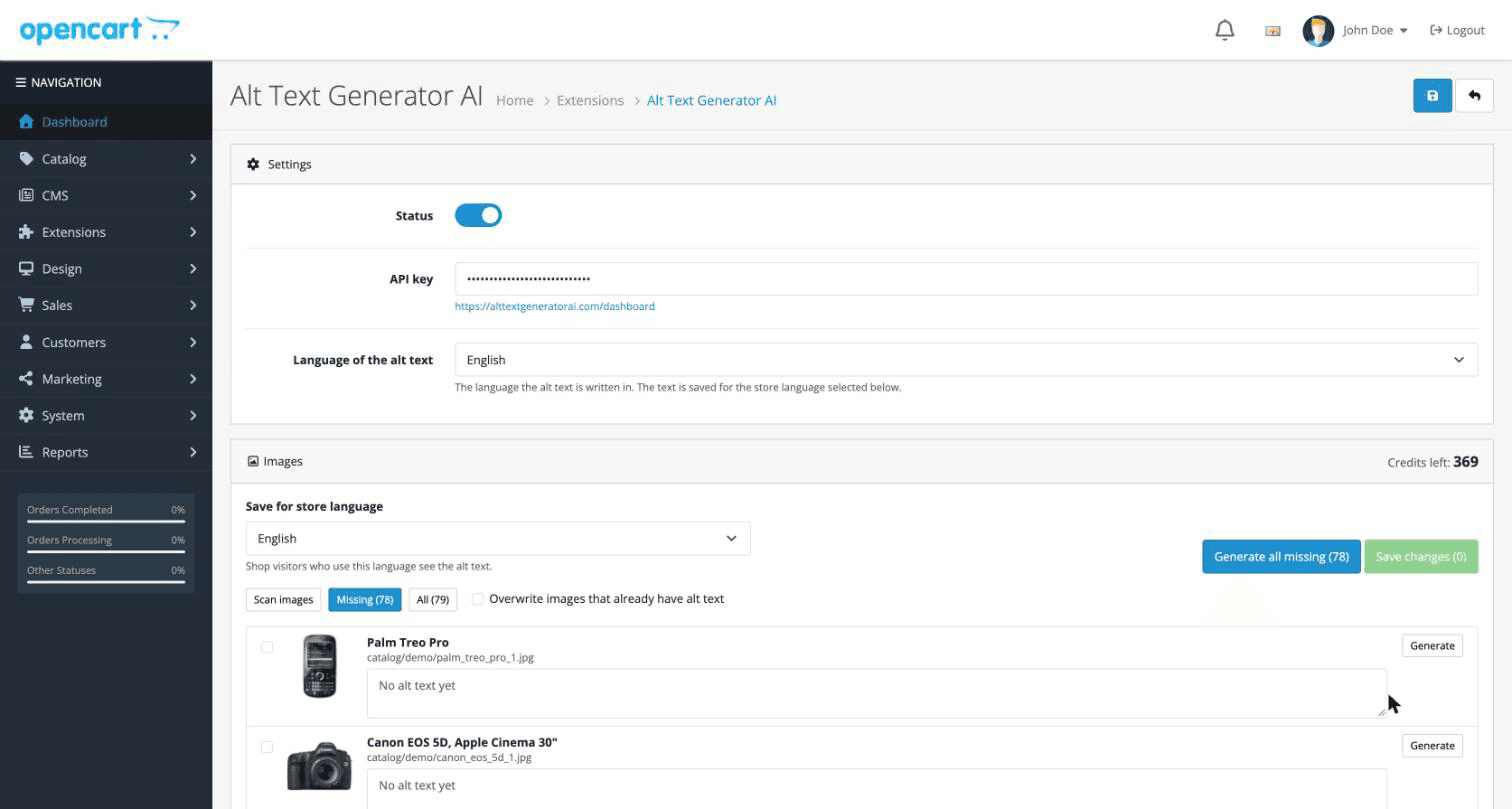
- Open Catalog in the left menu and choose Alt Text Generator AI
- The page shows your credits and every image used by your products, categories and brands
- Missing lists the images that have no alt text. All shows everything
Generate Alt Text for Many Images
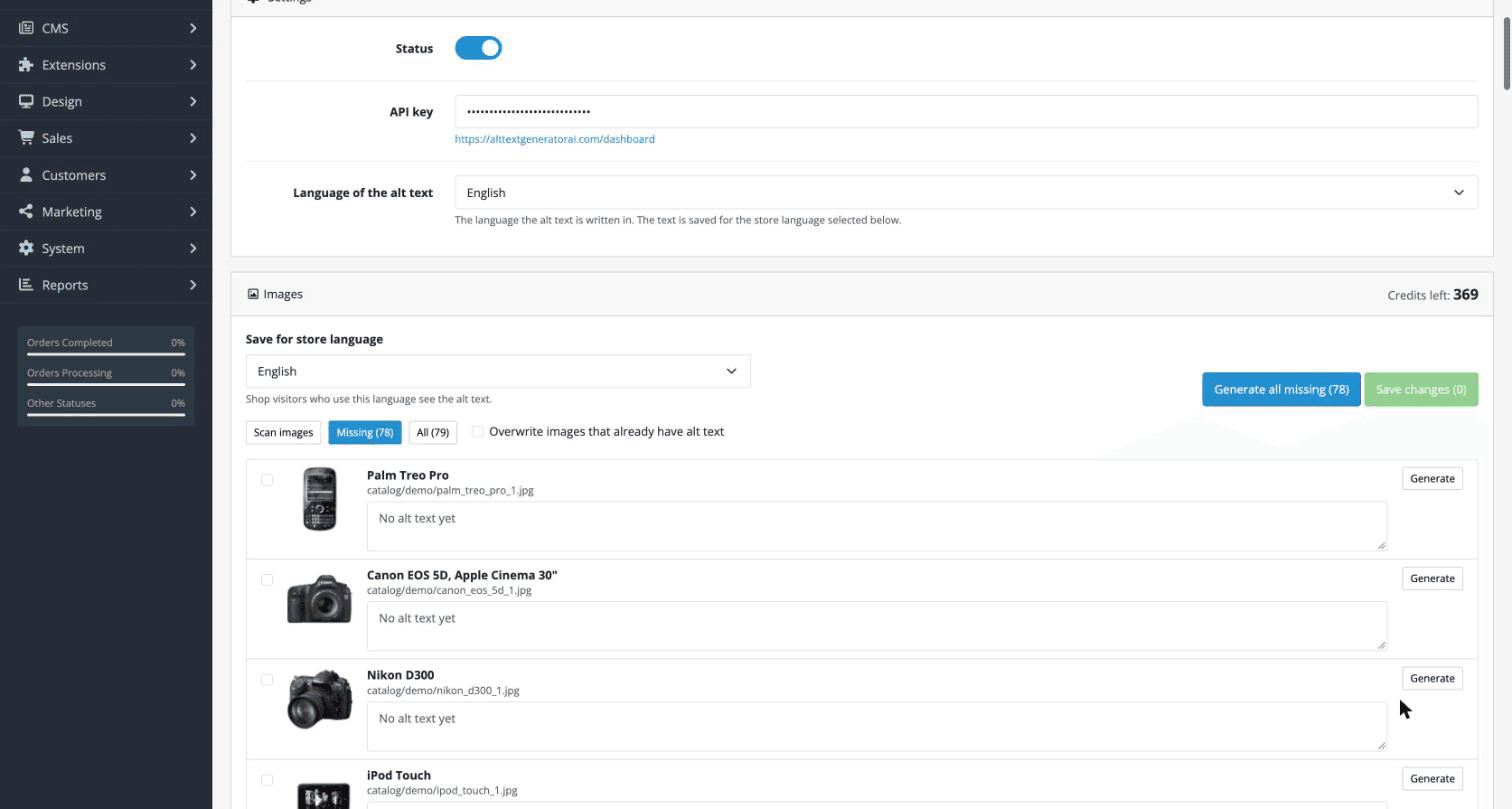
- Tick the images you want, or leave them all unticked
- Click Generate selected or Generate all missing. Each image uses 1 credit
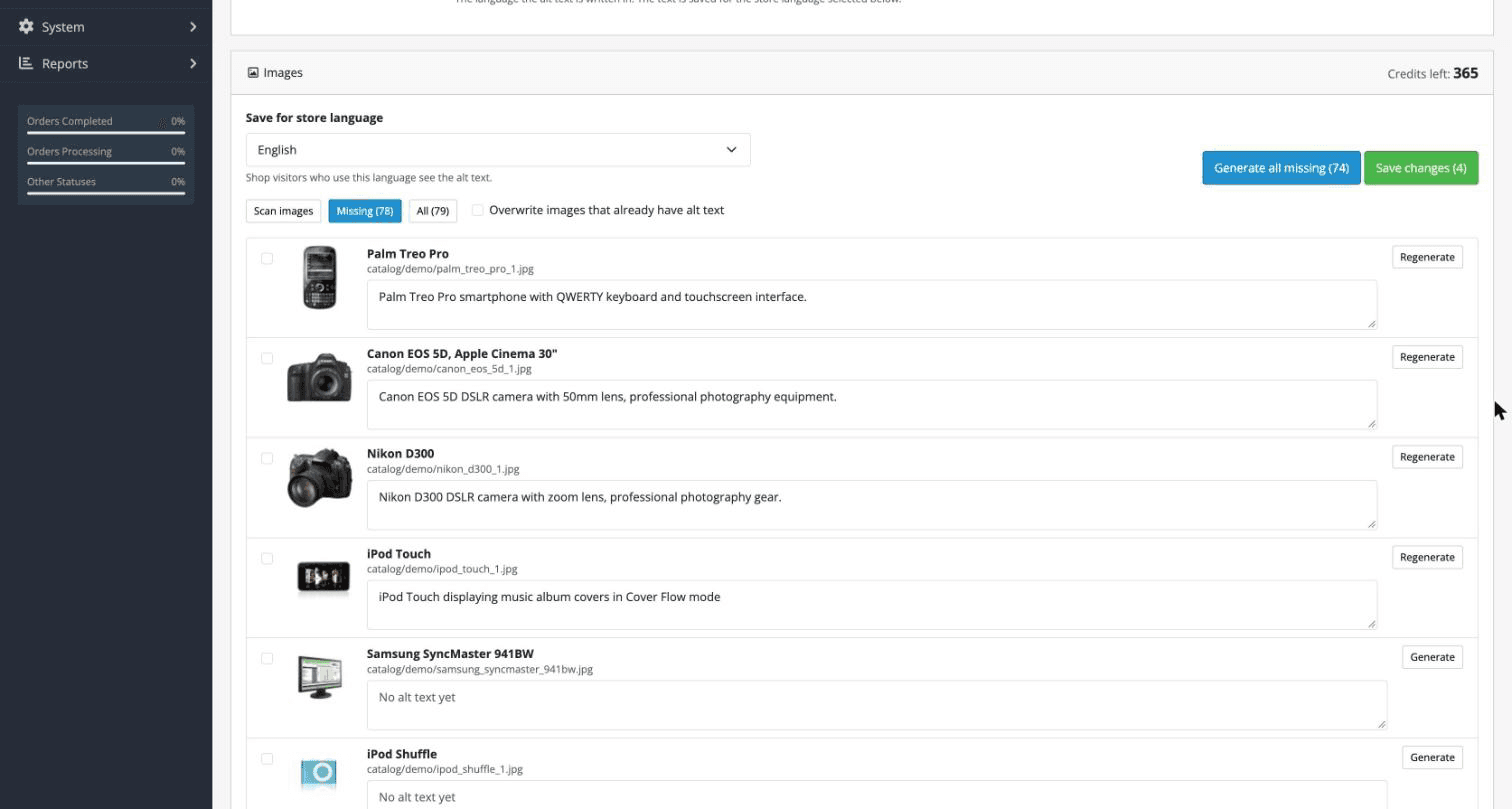
- Read the results and edit any text you want to change. You can also click Generate or Regenerate on a single image
- Click Save changes to put them in your shop
💡Generate all missing skips images that already have alt text. Tick an image to generate it anyway, or tick Overwrite.
See It in Your Storefront
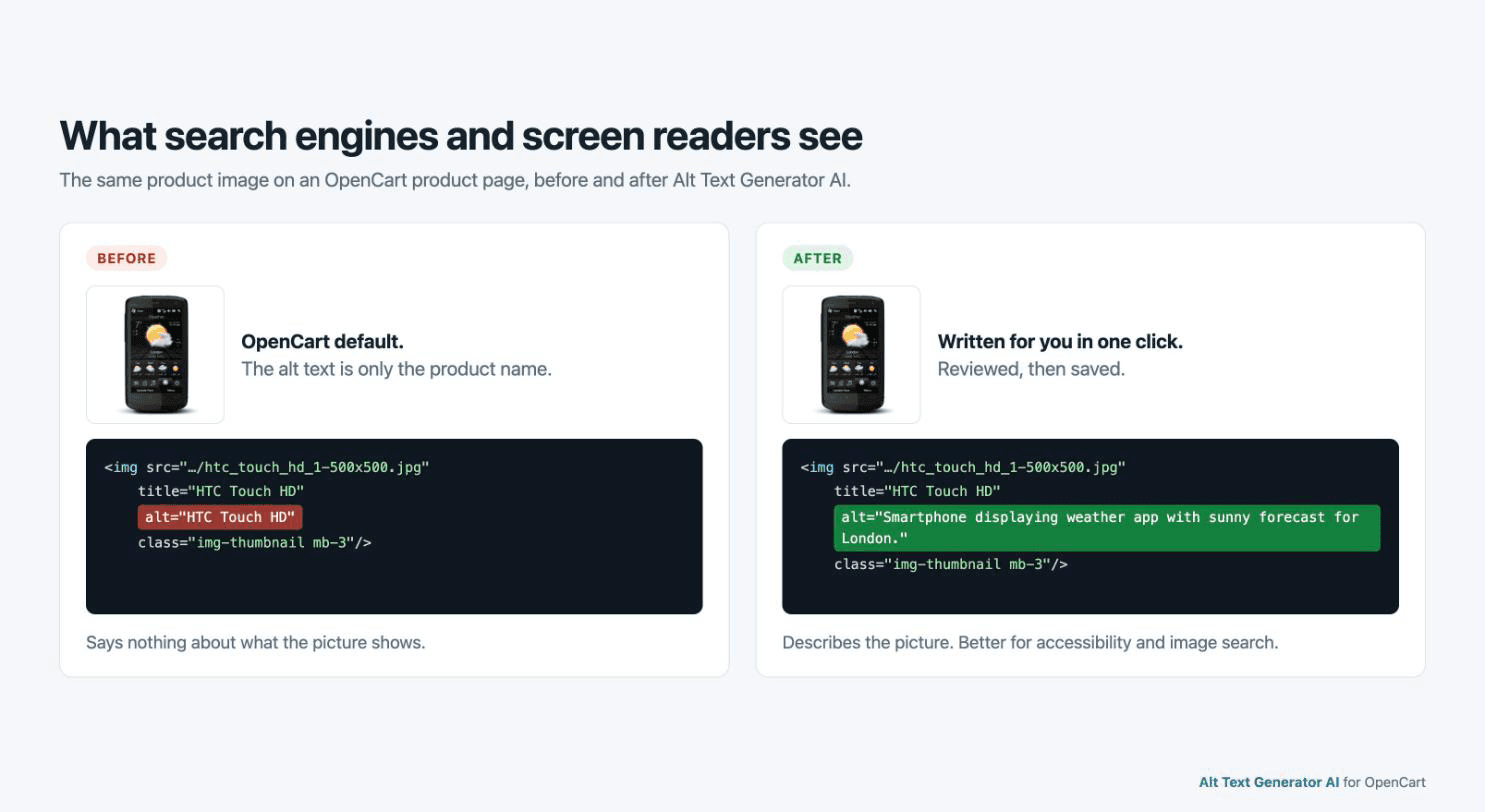
- The extension puts the alt text into the images of product pages, listings and category pages, with no theme changes
- Images that have no alt text keep OpenCart's own text, the product name
- Special characters such as quotes are escaped for you, so the page stays valid
💡Turn the module off or uninstall it and your shop goes back to its default alt text. What you wrote is kept for next time.
Choose the Languages
- Pick the language of the alt text from the Language of the alt text list, from English to Zulu
- Use Save for store language to choose which shop language shows the text
- If your shop has several languages, generate and save once for each
- Your credits are shown on the same page. Each generation uses one credit
Language of the alt text: Spanish
Save for store language: Español

"Teléfono HTC con aplicación del tiempo y pronóstico semanal."Bulk Page
A page under Catalog scans the images of your products, categories and brands, shows thumbnails and lists the ones missing alt text. Tick the ones you want and save them all at once.
Works With Your Theme
The extension adds the text to the images of your storefront on its own, so there are no theme files to edit. It works with the default theme and with third-party themes.
Works on OpenCart 3 and 4
No other extension needed. OpenCart has no alt field for images, so the text is kept in its own list and added to your pages.
131 Languages
Choose the language of the alt text, and write it for your international audience.
Your Key Stays on Your Server
The API key is only used by the plugin's server code. The browser never sees it.
Free Credits
Sign up to get free credits and test alt text generation on your own images.