Alt Text Generator TYPO3 Extension
Generate SEO-optimized alt text for the images in your TYPO3 file list, in bulk and in 131 languages

Alt Text Generator AI writes SEO-friendly alt text for your images with AI. The TYPO3 extension adds a module next to the file list that shows your images with a preview, finds the ones with no alt text and writes it for one image, a selection or all of them. You review the text, change anything you like and save it into the file's metadata, which TYPO3 uses as the alt attribute of the image. This step-by-step guide shows how to install and use it.
Better alt text helps your site's accessibility and image SEO, and saves hours of writing descriptions by hand. It works on TYPO3 13.4 LTS and TYPO3 14, with no other extension needed.
Install the Extension
- Install it from the TYPO3 Extension Repository. With Composer, run the commands on the right
- Without Composer, open Admin Tools, then Extensions, search for alt_text_generator_ai and install it
- Activate the extension. With Composer, extension:setup does it for you
- Open Media (TYPO3 14) or File (TYPO3 13) in the left menu and find Alt Text Generator AI
💡Works with TYPO3 13.4 LTS and TYPO3 14, on PHP 8.2 or newer. Your API key stays on your server and never reaches the browser.
composer require balt1794/alt-text-generator-ai
vendor/bin/typo3 extension:setupAdd Your API Key
- Get your API key from the dashboard
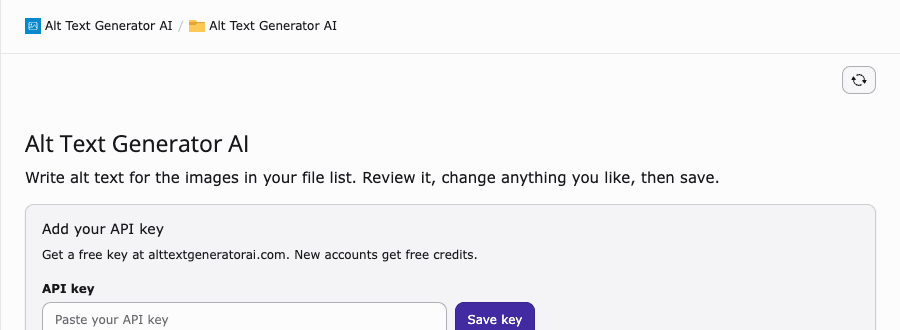
- Open Alt Text Generator AI and paste the key into API key
- Click Save key. Your credits show at the top of the page
💡Only administrators can change the key. It is saved on your server and never shared. To set it in a deployment, use Admin Tools, Settings, Extension Configuration.
Find Your Images
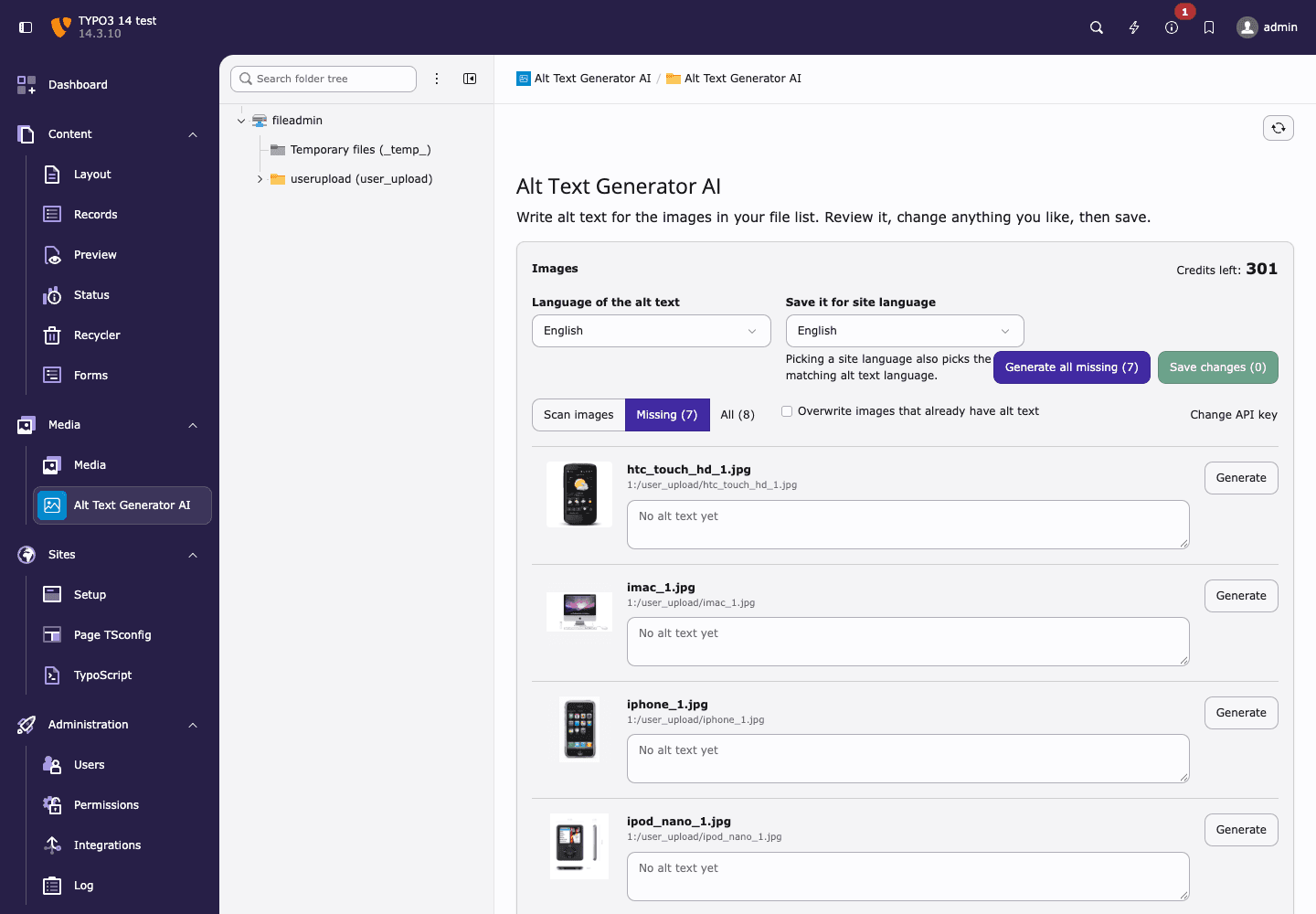
- The module lists your images with a preview and shows your credits
- Click Scan images if you added files outside the file list, for example over FTP
- Missing lists the images that have no alt text. All shows everything
Generate Alt Text
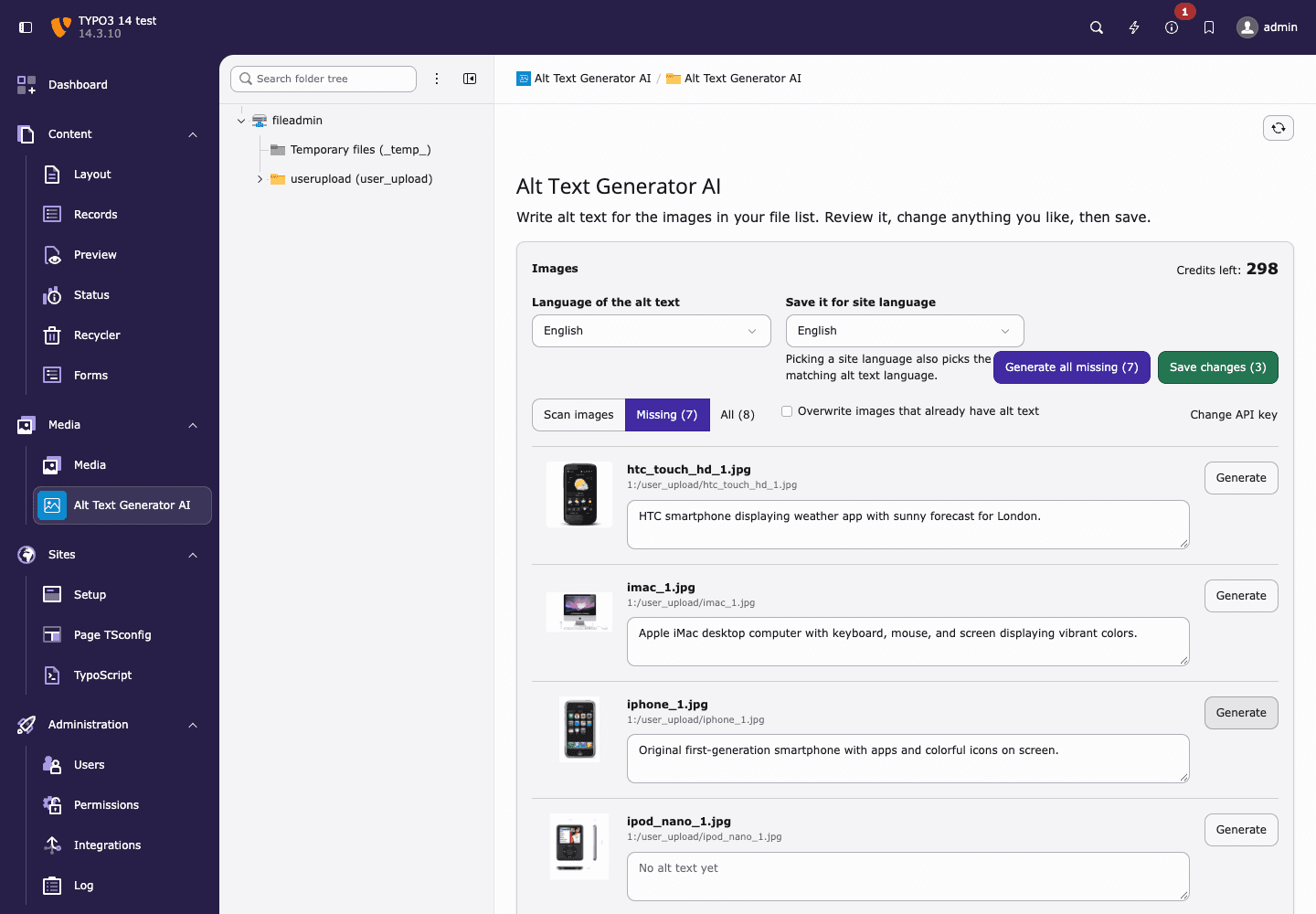
- Tick the images you want, or leave them all unticked
- Click Generate selected or Generate all missing. Each image uses 1 credit. You can also click Generate on a single image
- Read the results and edit any text you want to change
- Click Save changes to save them all at once
💡Generate all missing skips images that already have alt text. Tick an image to generate it anyway, or tick Overwrite.
See It in TYPO3
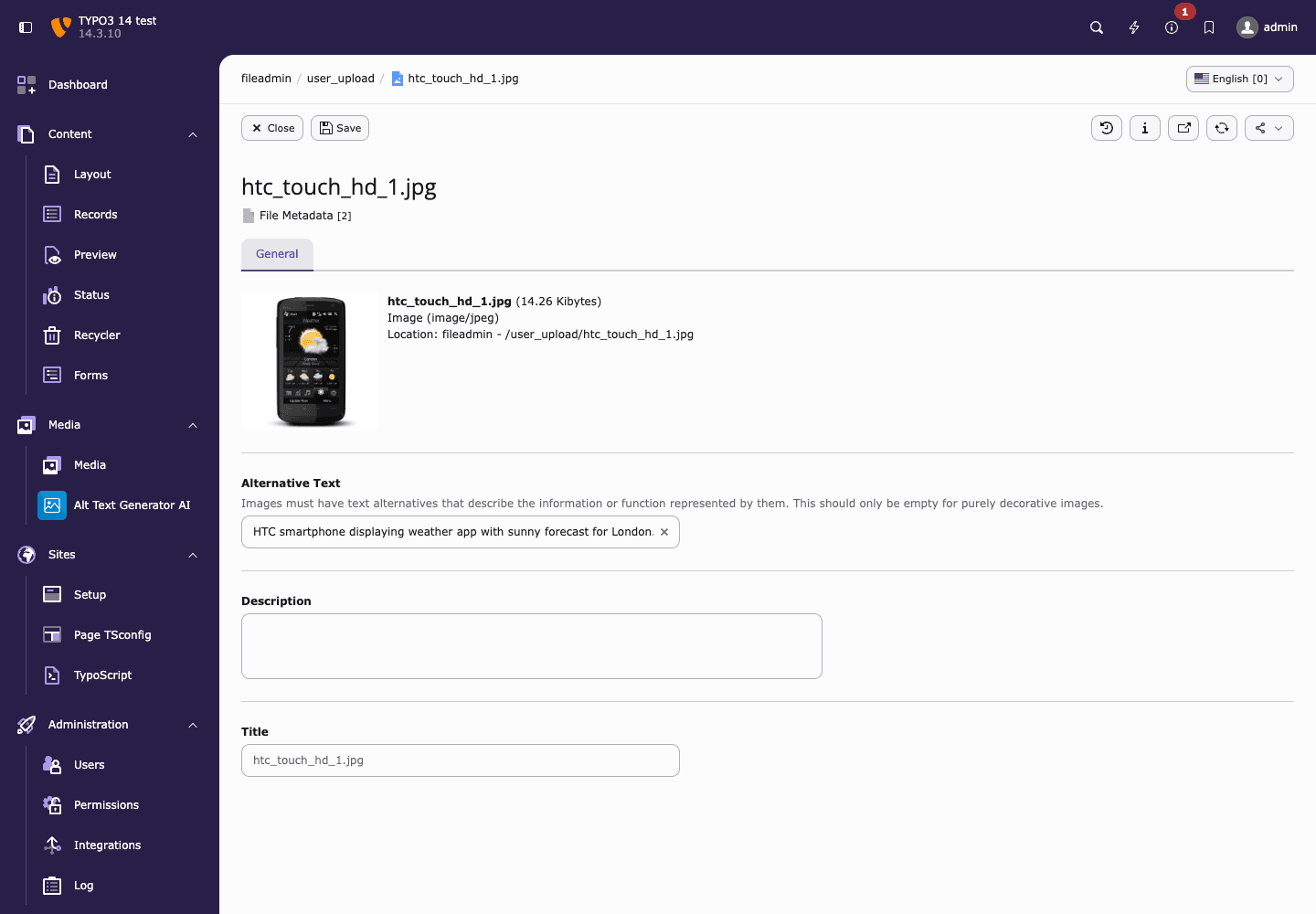
- The text is saved in the Alternative Text field of the file metadata, which you can also edit by hand in the file list
- TYPO3 uses it as the alt attribute of the image wherever the file is used, unless an editor has typed a different alt text on a content element
- Images that already have alt text are left alone unless you ask for them to be overwritten
💡The text is stored per site language, so every language of your site can have its own alt text.
Choose the Languages
- Pick the language of the alt text from the Language of the alt text list, from English to Zulu
- Use Save it for site language to choose which site language the text belongs to. Picking a site language also picks the matching alt text language
- If your site has several languages, generate and save once for each
- Sites with a single language do not show the site language list
Language of the alt text: German
Save it for site language: Deutsch

"Silbernes iMac mit Tastatur und Maus auf einem weißen Schreibtisch."Bulk Module
A module next to the file list shows the images of your site with a preview and lists the ones missing alt text. Tick the ones you want and save them all at once.
Saved in the File Metadata
The text goes into the Alternative field of the file, so TYPO3 uses it as the alt attribute of the image on your pages, with no template changes.
Works on TYPO3 13 and 14
No other extension needed. It works on TYPO3 13.4 LTS and TYPO3 14 with PHP 8.2 or newer.
131 Languages
Choose the language of the alt text, and write it for your international audience.
Your Key Stays on Your Server
The API key is only used by TYPO3's PHP code. The browser never sees it.
Free Credits
Sign up to get free credits and test alt text generation on your own images.